
A Formula Care charge, FORMULA.CARE charge, or FRMLA CARE charge on a credit card, debit card, PayPal account, or bank statement usually relates to a paid subscription for the Formula nutrition and weight-management app. The service is operated by Fjor Nutrition Inc.
Formula provides meal plans, recipes, food logging, nutrient tracking, barcode scanning, weight tracking, and diet programs such as Mediterranean, carnivore, anti-inflammatory, and related nutrition plans. A subscription may have been purchased through the Formula website, Apple App Store, Google Play, or another payment route, so the correct cancellation and refund process depends on where the transaction originated.
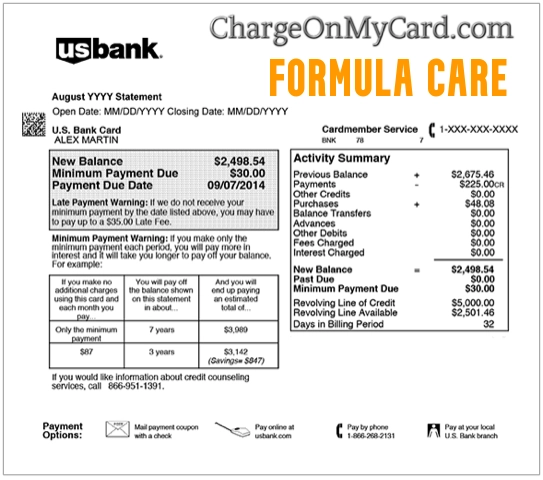
What Is the Formula Care Charge?
The payment may represent:
- A Formula website subscription
- A Formula App premium membership
- A trial that converted to a paid plan
- An automatically renewed nutrition plan
- A subscription purchased through Apple
- A subscription purchased through Google Play
- A Formula purchase completed through PayPal
- A membership connected with another Fjor Nutrition app
- A second Formula account registered under another email address
- A purchase made by another authorized cardholder
- A failed payment followed by a successful retry
- An unauthorized use of the card or account
This is not normally a charge for:
- Infant formula
- Baby-care products
- A physical nutrition supplement
- A local medical provider
- A general online retailer named Formula Care
Who Operates Formula Care?
Formula Care is operated by Fjor Nutrition Inc.
The company also operates or has operated nutrition-related apps and websites under names that include:
- Formula App
- Formula.care
- Carnivore Diet App
- Keto Diet App
- MyKeto.care
- Fjor.care
The company’s published legal mailing address is:
Fjor Nutrition Inc.
1111B S Governors Ave, Suite 21968
Dover, DE 19904
This should not be treated as a walk-in customer-service office. Use the official email, in-app chat, or account portal for subscription assistance.
Common Formula Care Statement Variations
The charge may appear as:
- FORMULA CARE
- FORMULA.CARE
- FORMULACARE
- FRMLA CARE
- FORMULA APP
- FORMULA APP COM
- FORMULA APP SUBSCRIPTION
- FJOR NUTRITION
- FJOR NUTRITION INC
- FORMULA.CARE 302-437-0578
- FORMULA CARE 3024370578
- CARE 302-437-0578
- FORMULA.CARE MA
- CHECKCARD FORMULA CARE
- CHKCARD FRMLA CARE
- POS DEBIT FORMULA.CARE
- RECURRING FORMULA CARE
- PENDING FORMULA.CARE
- PAYPAL FJOR NUTRITION
Banks and payment services may remove punctuation, shorten the merchant name, add a telephone number, or display different wording while the transaction is pending.
What Does the Formula App Provide?
The Formula App is a nutrition and diet-planning service.
Current app materials describe features such as:
- Personalized nutrition plans
- Meal and food logging
- Macro and nutrient tracking
- Barcode scanning
- Voice-based food entry
- Recipes and grocery guidance
- Water, sleep, activity, and weight tracking
- Mediterranean diet plans
- Carnivore diet plans
- Anti-inflammatory diet plans
- Other dietary and wellness programs
The app may be free to download, but premium features require an active subscription.
Why Did Formula Care Charge My Card?
A Subscription Was Purchased on Formula.care
A website purchase may provide immediate access to a customized nutrition plan and the Formula App.
Website subscriptions:
- May renew automatically
- May not appear under Apple subscriptions
- May not appear under Google Play subscriptions
- Must be managed through Formula’s app, account portal, email, or support chat
An App Store Subscription Renewed
A Formula subscription purchased through Apple is managed by Apple.
The payment may appear under:
- Apple billing
- An App Store transaction
- Formula App
- A Formula-related merchant descriptor
Check the Apple subscription and purchase history connected with every Apple Account used in the household.
A Google Play Subscription Renewed
A Formula subscription purchased through Google Play must be managed through the Google Account used at signup.
Check:
- Google Play subscriptions
- Google Play order history
- Other Google Accounts on the phone or tablet
- Family members who may use the same payment method
A Trial Converted to a Paid Plan
The payment may follow:
- An introductory offer
- A discounted plan
- A personalized quiz
- A meal-plan promotion
- An app trial
Review the original checkout page, confirmation email, app-store receipt, and renewal date.
A Second Account Exists
A second Formula subscription may be registered using:
- An older email address
- Apple’s Hide My Email feature
- A different Google Account
- A PayPal email address
- A household member’s email
Canceling one account does not automatically cancel another active subscription.
How to Identify the Formula Care Subscription
Follow these steps:
- Copy the complete statement descriptor.
- Record the amount and transaction date.
- Confirm whether the payment is pending or completed.
- Search every email account for Formula, Fjor Nutrition, and support@formula.care.
- Check Apple subscriptions and Apple purchase history.
- Check Google Play subscriptions and order history.
- Review PayPal activity when PayPal funded the transaction.
- Open the Formula App and review the Profile and Purchases sections.
- Try the Formula account-management portal.
- Ask household members and authorized cardholders.
- Contact Formula support using the email connected with the possible account.
Search email for:
- Formula
- Formula.care
- Fjor Nutrition
- Meal plan
- Nutrition plan
- Subscription
- Welcome
- Renewal
- The exact charged amount
Check spam, promotions, deleted messages, and older email accounts.
How to Cancel a Formula Website Subscription
A subscription purchased on Formula’s website may not appear in Apple or Google subscriptions.
To cancel inside the Formula App:
- Open the Formula App.
- Go to the Profile tab.
- Scroll to the Purchases section.
- Select Manage Subscriptions.
- Select Cancel Subscription.
- Complete every confirmation step.
- Save the confirmation email or screenshot.
Official cancellation instructions:
Formula subscription cancellation help
Account-management portal:
When login is unavailable, contact:
You can also use the support-chat button inside the app or the chat widget in Formula’s official Help Center.
How to Cancel Formula Through Apple
When Apple collected the subscription payment:
- Open Settings on the iPhone or iPad.
- Select your name.
- Select Subscriptions.
- Select Formula.
- Select Cancel Subscription.
- Confirm the cancellation.
Official Apple instructions:
If Formula is not listed:
- Check another Apple Account
- Review Apple purchase history
- Check whether the purchase was made on Formula’s website instead
- Search email for the Apple receipt
Formula cannot directly cancel an App Store subscription controlled by Apple.
How to Cancel Formula Through Google Play
When Google Play collected the payment:
- Open Google Play.
- Select the profile icon.
- Select Payments and subscriptions.
- Select Subscriptions.
- Select Formula.
- Select Cancel subscription.
- Follow the confirmation steps.
Official Google instructions:
Cancel a Google Play subscription
Check every Google Account used on the device if the subscription does not appear.
Formula cannot directly cancel a subscription controlled by Google Play.
Does Deleting the Formula App Cancel the Subscription?
No.
These actions do not necessarily stop recurring billing:
- Deleting the Formula App
- Deleting the app account
- Signing out
- Removing the app icon
- Stopping use of the meal plan
- Turning off notifications
- Removing a payment method without canceling the plan
Cancel the actual subscription through Formula, Apple, or Google Play.
Save written proof showing:
- The subscription was canceled
- The effective cancellation date
- The final access date
- Whether another subscription remains active
Suggested Formula Cancellation Message
You can adapt this message:
Please cancel every Formula, Formula.care, Formula App, or Fjor Nutrition subscription associated with this email address immediately. I revoke authorization for all future recurring charges. Please confirm the account email, subscription source, cancellation date, final access date, and whether another active subscription exists.
Provide only what is reasonably necessary to locate the account:
- Name
- Account email
- Charge date
- Charge amount
- Last four card digits when required through an official secure channel
Do not email:
- The complete card number
- The CVV or PIN
- Your bank password
- Your Apple or Google password
- A one-time authentication code
- A photograph of the payment card
How to Request a Formula Care Refund
The correct refund route depends on where the purchase was completed.
Website Purchase
Contact Formula through:
- support@formula.care
- The in-app support chat
- The Formula Help Center chat widget
Include:
- The email used for the purchase
- The charge date and amount
- The reason for the refund request
- The date the subscription was canceled
- Any duplicate or unauthorized transactions
Official refund instructions:
Apple Purchase
Apple controls App Store refund requests.
Use:
Canceling the subscription and requesting a refund are separate actions.
Google Play Purchase
Google controls refund requests for Google Play purchases.
Use:
Canceling future renewal does not automatically refund an earlier payment.
Formula’s Money-Back Policy
Formula’s current policy describes a voluntary money-back guarantee with specific conditions.
The policy says the customer generally must:
- Contact Formula within 30 days of purchase
- Follow the program for at least 14 consecutive days within the first 30 days
- Submit the requested information supporting the claim
Formula says an approved refund under that guarantee will be processed within 14 days.
The policy also says:
- Payments are generally nonrefundable unless otherwise stated or required by law
- California and Connecticut residents may have a three-business-day cancellation right
- Apple customers must request refunds from Apple
- Other legal rights may vary by location
Review the complete current policy:
Formula money-back and refund policy
A money-back request and an unauthorized-payment report are not necessarily the same issue.
What If You Never Signed Up?
If neither you nor another authorized user recognizes the subscription:
- Save the complete descriptor, date, and amount.
- Search all email accounts for Formula and Fjor Nutrition.
- Review Apple, Google Play, PayPal, and card histories.
- Ask household members and authorized users.
- Contact Formula through official support.
- Ask Formula to identify the account email and purchase channel.
- Request immediate cancellation.
- Request a refund review.
- Contact the card issuer or bank promptly if no authorized account can be identified.
The existence of a Formula account does not by itself prove who created it or whether recurring billing was knowingly accepted.
Why Are There Multiple Formula Care Charges?
Several entries may represent:
- A pending authorization and a completed payment
- Two Formula accounts
- Website and app-store subscriptions
- A failed payment followed by a successful retry
- A plan renewal and another purchase
- Charges submitted through PayPal and a card
- An actual duplicate transaction
- Repeated unauthorized use
Check whether every entry fully posted.
Compare:
- Transaction dates
- Amounts
- Payment channels
- Account emails
- Apple or Google order numbers
One visible COMC commenter reported three Formula Care charges on the same date, but did not provide the amounts or final resolution.
What Is a Pending Formula Care Charge?
A pending payment may:
- Become the completed subscription charge
- Disappear
- Be replaced by a posted transaction
- Be declined
- Be attempted again later
Some financial institutions cannot formally dispute a pending transaction, but they may still:
- Lock the card
- Block future attempts
- Replace a compromised card
- Add a note to the account
Cancel the subscription itself even when the latest charge remains pending.
Current Formula Care Contact Information
- Company: Fjor Nutrition Inc.
- Service: Formula.care and Formula App
- Email: support@formula.care
- Telephone associated with Fjor Nutrition: 1-302-437-0578
- Official website: Formula.care
- Help Center: Formula Help Center
- Account management: Formula Account Portal
- Published legal address: 1111B S Governors Ave, Suite 21968, Dover, DE 19904
Formula’s current support pages primarily direct members to email, in-app support chat, and website chat. Do not send sensitive financial or health information to a telephone number or email address obtained from an unsolicited message.
Secure Your Formula and Email Accounts
The Formula service may contain personal nutrition, weight, activity, or wellness information.
When unauthorized access is possible:
- Change the Formula password.
- Use a password not used on another service.
- Secure the associated email account.
- Review the account email and profile information.
- Review active subscriptions and payment methods.
- Contact support about unfamiliar account activity.
- Review Apple, Google, or PayPal account security when applicable.
Do not post health details, weight records, meal history, account emails, passwords, order numbers, card information, or transaction references in public comments.
Credit Card Dispute Guidance
Contact the card issuer promptly when:
- No authorized Formula account can be identified
- A duplicate completed charge remains unresolved
- Billing continues after documented cancellation
- A promised refund does not arrive
- The card was used without permission
- Formula cannot identify the purchase source
To preserve applicable credit-card billing-error rights:
- Call the issuer promptly
- File an online dispute when available
- Follow up in writing when required
- Send required written notice within 60 calendar days after the statement containing the disputed charge was sent
- Keep copies of all communications
Official guidance:
CFPB credit-card dispute guidance
Contacting Formula first may resolve an ordinary cancellation or refund issue more quickly, but do not miss an issuer’s reporting or dispute deadline.
Debit Card and Bank Account Guidance
Report an unauthorized debit-card or bank transaction immediately.
Ask the bank:
- Whether the payment was a debit-card transaction or another electronic transfer
- Whether additional Formula charges are pending
- Whether a merchant or recurring-payment block is available
- Whether the card or payment token should be replaced
- What written documentation is required
Official guidance:
CFPB unauthorized debit and bank-transaction guidance
Credit-card and debit-card protections, procedures, and deadlines differ.
What If Billing Continues After Cancellation?
If another charge appears:
- Save the cancellation confirmation.
- Save the new transaction.
- Confirm that the correct Formula account was canceled.
- Check Apple and Google Play for a second subscription.
- Contact Formula in writing.
- State that recurring authorization was revoked.
- Request an immediate reversal.
- Contact the issuer when the payment is not corrected.
The FTC advises consumers to dispute subscription charges when a merchant continues billing after a documented cancellation attempt.
Watch Out for Fake Formula Support
Use Formula’s official website, Help Center, or support email.
Be cautious of anyone who:
- Calls unexpectedly claiming to represent Formula
- Requests payment to cancel a subscription
- Promises a refund but asks for another payment
- Requests the complete card number
- Requests the CVV or PIN
- Asks for an Apple, Google, PayPal, or bank password
- Requests a one-time security code
- Wants remote access to a device
- Requests gift cards or cryptocurrency
End the communication and contact Formula through its official site when anything seems suspicious.
Consumer Reports and Experiences
There are currently nine visible Formula Care reports on this ChargeOnMyCard.com page.
Reported amounts and details include:
- A `$59.99` charge from Formula Care or Fjor Nutrition
- A `$45` PayPal payment listing Fjor Nutrition Inc. as the seller
- A `$28.76` `FORMULA.CARE 302-437-0578` charge
- A report of three charges on one date
- Recurring charges on a Discover card
- A report involving an Apple account
- Consumers who said they did not intend to subscribe
- Requests for cancellation and refunds
These comments are individual reports. ChargeOnMyCard.com has not verified:
- The original signup screens
- The subscription terms shown to each customer
- The account emails involved
- Whether another authorized person subscribed
- Whether cancellation was completed
- Whether refunds were approved
- The final issuer decisions
ChargeOnMyCard.com cannot:
- Access Formula accounts
- Cancel subscriptions
- Issue refunds
- Access Apple or Google subscriptions
- Block recurring payments
- Replace cards
- Submit disputes
Frequently Asked Questions About Formula Care Charges
What is Formula Care on my bank statement?
It usually identifies a subscription for the Formula nutrition and weight-management app operated by Fjor Nutrition Inc.
Is Formula Care a baby-formula company?
No evidence supports the old infant-formula explanation. Current company information identifies Formula as a nutrition and diet-tracking app.
What is Formula.care?
Formula.care is the official website associated with the Formula App and its personalized nutrition subscriptions.
What is Fjor Nutrition Inc.?
Fjor Nutrition Inc. is the company identified in Formula’s terms, privacy policy, app listings, and some payment records.
Is 302-437-0578 connected with Formula Care?
The number appears in Fjor Nutrition’s developer and business records and in reported Formula Care statement descriptors. Formula’s current support pages primarily recommend email and in-app chat.
How do I know whether I paid through Formula, Apple, or Google?
Check the transaction descriptor, email receipt, Apple purchase history, Google Play order history, PayPal activity, and Formula account.
Why can’t I find Formula under Apple subscriptions?
A subscription purchased through Formula’s website is not necessarily displayed in Apple or Google subscriptions.
How do I cancel Formula Care?
Website customers can cancel through the Formula App’s Manage Subscriptions section or the account portal. Apple and Google customers must cancel through the applicable app store.
Does deleting the app stop the subscription?
No. Formula explicitly states that deleting the app or account does not automatically cancel recurring billing.
Can I get a refund?
Refund eligibility depends on the purchase channel, timing, applicable policy, and local law. Website customers should contact Formula; Apple and Google customers should use the relevant platform’s refund process.
What is Formula’s 30-day money-back guarantee?
Formula’s current voluntary policy generally requires a request within 30 days and at least 14 consecutive days of following the program during that period.
Why are there multiple charges?
Possible causes include two accounts, website and app-store subscriptions, a pending and posted payment, a failed-payment retry, or unauthorized activity.
What if I never subscribed?
Ask Formula to identify the account and purchase channel, cancel any active plan, and notify the financial institution promptly if no authorized purchase can be found.
Is Formula Care a scam?
Formula is an active nutrition-app service operated by an identifiable company. Public comments include allegations of unexpected or unwanted subscriptions, but those reports do not prove that every Formula transaction is fraudulent.
Can ChargeOnMyCard.com cancel Formula Care?
No. ChargeOnMyCard.com cannot access Formula, Apple, Google, PayPal, card, refund, or bank systems.
Related Charge Guide
This guide explains how to request expanded merchant details, identify a recurring subscription, document cancellation, and contact the card issuer or bank.
Help Other Cardholders Identify Formula Care
If you saw FORMULA CARE, FORMULA.CARE, FRMLA CARE, FJOR NUTRITION, or another variation, please share what the payment represented.
Helpful details include:
- The descriptor without private transaction references
- The general amount
- Whether the payment repeated
- Whether it was billed through Formula, Apple, Google, or PayPal
- Whether a welcome email was found
- Whether a second account existed
- Whether cancellation was confirmed
- Whether a refund was requested or received
- How the issuer resolved an unauthorized payment
Do not post account emails, health information, passwords, Apple or Google credentials, order numbers, transaction references, card digits, PINs, CVV codes, or authentication codes.
Why Rely on ChargeOnMyCard.com?
ChargeOnMyCard.com researches confusing credit-card, debit-card, nutrition-app, digital-subscription, auto-renewal, app-store, PayPal, and bank-statement descriptors using current company information, cancellation instructions, refund policies, consumer-protection resources, and visible cardholder reports.
We distinguish Formula’s verified nutrition subscription and Fjor Nutrition ownership from the separate question of whether a particular account, renewal, purchase channel, or payment was understood and authorized.
Last reviewed: July 2026.
Disclaimer
ChargeOnMyCard.com is not affiliated with Formula, Formula.care, Formula App, Fjor Nutrition Inc., Apple, Google, PayPal, any diet or nutrition provider, cardholder, bank, credit union, card network, payment processor, or financial institution. This article is provided for informational purposes only and is not financial, legal, medical, nutritional, subscription, refund, privacy, account-security, dispute, or fraud-prevention advice. Contact Formula, the applicable app store or payment provider, and the financial institution directly regarding a specific transaction.