
An FFNHELP charge on your credit card, debit card, or bank statement usually relates to a paid membership, renewal, upgrade, or other purchase from a website operated through FriendFinder Networks.
The charge may appear as FFNHELP.COM, FFNHELP.COM*FRIENDF, FFNHELP.COM AFF, FFNHELP.COM_AFF, or another shortened variation. AdultFriendFinder uses discreet billing so that the full dating-site name may not appear on the financial statement.
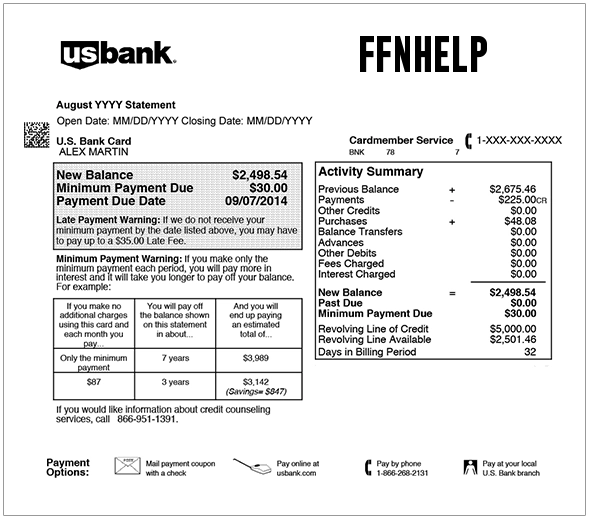
What Is FFNHELP on My Credit Card or Bank Statement?
FFNHelp.com is the official billing Resolution Center associated with FriendFinder Networks.
FriendFinder Networks operates online social-networking, personals, dating, live-video, chat, messaging, and premium-content services.
An FFNHELP payment may involve:
- A paid dating or social-network membership
- An AdultFriendFinder membership
- A membership upgrade
- An automatically renewed subscription
- A one-month, three-month, or twelve-month membership
- Points, tokens, live content, or another paid feature
- A purchase from another FriendFinder Network site
- More than one active network account
- A payment made by another authorized cardholder
- A duplicate, incorrect, or unauthorized transaction
The descriptor does not necessarily identify the precise site, username, profile, membership term, or person who placed the order.
Is FFNHelp.com Legitimate?
Yes. FFNHelp.com is an active billing-support website operated in connection with FriendFinder Networks.
Its official Resolution Center assists consumers who:
- Do not recognize a payment
- Have a billing question
- Need help turning off automatic renewal
- Want to remove or delete an account
- Need other account support
A legitimate billing descriptor does not prove that a particular transaction was authorized.
A real FFNHELP charge can still result from:
- A forgotten membership
- An automatically renewed subscription
- A second account under another email address
- A purchase made by another authorized user
- A compromised account
- Unauthorized use of the payment card
Why Does FriendFinder Use Discreet Billing?
AdultFriendFinder’s official help center states that orders are discreetly billed as:
FFNHelp.com*FRIENDF
This allows the billing name to appear without displaying the complete website name.
Discreet billing can make the transaction difficult to recognize because the cardholder may remember:
- AdultFriendFinder
- AFF
- A FriendFinder membership
- Alt.com
- Passion
- XMatch
- Another FriendFinder Network service
while the statement shows only FFNHELP or a shortened variation.
Common FFNHELP Statement Variations
The current officially documented AdultFriendFinder wording is:
- FFNHELP.COM*FRIENDF
Other reported or historically searched comparison variations include:
- FFNHELP.COM
- FFN HELP.COM
- FFNHELP
- FFNHELP.COM AFF
- FFNHELP.COM_AFF
- FFNHELP.COMAFF
- FFNHELP.COM*ADULTFRIENDFINDER
- FFNHELP.COM*ADULTFRIEN
- FFNHELP.COM*ALT.COM
- FFNHELP.COM PASSION
- FFNHELP.COM*XMATCH.COM
- FFNHELP.COM 8885758383
- RECURRING FFNHELP
- PENDING FFNHELP.COM
- FFNHELP REFUND
These reported variations are not a complete current official descriptor list. Copy the complete wording from your own statement before contacting support.
What Does FFNHELP.COM_AFF Mean?
The letters AFF commonly point to AdultFriendFinder.
An entry such as:
- FFNHELP.COM AFF
- FFNHELP.COM_AFF
- FFNHELP.COM*ADULTFRIEN
may represent:
- An AdultFriendFinder paid membership
- An automatic membership renewal
- A membership upgrade
- A points or premium-feature purchase
- Another account-related payment
Verify the transaction through Billing History rather than relying only on the AFF suffix.
Why Is FFNHELP Charging Me?
A Paid Membership Was Purchased
A free profile may have been upgraded to a paid membership.
Current AdultFriendFinder membership offers can include different subscription periods, such as:
- One month
- Three months
- Twelve months
The price and membership period should appear in the original order confirmation and Billing History.
The Membership Renewed Automatically
FriendFinder paid subscriptions are generally set to renew automatically when the current term expires unless auto-renew is turned off.
A cardholder may forget about the renewal because:
- The original purchase occurred several months earlier
- The account is rarely used
- The renewal uses a discreet descriptor
- The account belongs to another authorized user
- The membership is attached to another email address
A Premium Feature or Upgrade Was Purchased
The charge may involve more than the basic membership.
Possible paid features can include:
- Membership upgrades
- Points or tokens
- Premium content
- Live-video or interactive features
- Other account purchases presented during use of the service
Review every order in Billing History separately.
More Than One Account Exists
A payment card may be connected to:
- A current account
- An old account
- A second username
- A different FriendFinder Network site
- An account under another email address
- A spouse, partner, or other authorized user’s account
One account may have auto-renew disabled while another remains active.
Another Authorized Cardholder Made the Purchase
Before reporting fraud, carefully ask whether the payment was made by:
- A spouse or partner
- Another adult household member
- An employee
- Another authorized card user
Avoid posting another person’s name, profile, relationship information, or private activity publicly.
The Card or Account Was Used Without Permission
A legitimate FriendFinder descriptor can still represent an unauthorized purchase.
Possible warning signs include:
- No authorized user recognizes the charge
- No matching account or billing history can be found
- Several FFNHELP charges appear unexpectedly
- The account email or password was changed
- The card has other unfamiliar online transactions
How to Identify an FFNHELP Charge
1. Record the Complete Transaction
Save:
- The full merchant descriptor
- The amount
- The transaction date
- The posting date
- Whether the transaction is pending or completed
- Whether it is labeled recurring
- Any site abbreviation after FFNHELP
- Any phone number or location displayed
Do not post complete transaction references or payment-card details publicly.
2. Search All Relevant Email Accounts
Search for:
- FFNHelp
- FriendFinder
- AdultFriendFinder
- AFF
- Membership
- Upgrade
- Renewal
- Billing
- The exact payment amount
Check spam, deleted mail, archived messages, secondary accounts, and email addresses used by other authorized users.
3. Review Billing History
Sign in to the relevant FriendFinder Network account.
For AdultFriendFinder:
- Open My Stuff.
- Select My Account.
- Open Billing History & Credit Card Info.
- Review the order history.
- Compare each purchase with the statement amount and date.
- Check the auto-renew setting beside every subscription.
4. Check Every Possible Account
Repeat the review for:
- Each username
- Each email address
- Each FriendFinder Network site
- Every authorized adult card user
Do not assume that signing in to one account reveals all subscriptions connected to the payment card.
5. Contact the FFNHelp Resolution Center
Use the official:
- Resolution Center: FFNHelp.com
- Email support form: FFNHelp Billing Form
- U.S. and Canada telephone: 1-888-575-8383
- International telephone: +1-669-208-0364
Have ready:
- The charge amount
- The transaction date
- The ZIP code connected to the payment card
- The cardholder’s name
- Possible usernames or email addresses
- The complete statement descriptor
The official support form may request the first six and last four digits of the card. Confirm that the address is exactly `ffnhelp.com` before entering limited card information.
Never submit the complete card number, PIN, CVV code, bank password, or one-time security code.
6. Ask the Card Issuer for Extended Merchant Details
Ask the financial institution for:
- The full merchant name
- The merchant category
- The recurring-payment indicator
- The transaction authorization method
- Any merchant telephone number
- Whether the payment was retried or duplicated
How to Stop FFNHELP Auto-Renewal
For an AdultFriendFinder subscription:
- Sign in to the correct account.
- Open My Stuff.
- Select My Account.
- Open Billing History & Credit Card Info.
- Find each active subscription.
- Toggle auto-renew off.
- Choose whether to pause or cancel automatic renewal.
- Select Submit to confirm.
- Save a screenshot or confirmation email.
The current options may include:
- Pause for one month
- Pause for two months
- Pause for three months
- Cancel auto-renew completely
A temporary pause is not a permanent cancellation.
Check every subscription individually.
Does Turning Off Auto-Renew Delete the Account?
No. Turning off auto-renew normally prevents the subscription from renewing again, but it does not necessarily:
- Delete the profile
- Hide the profile
- End access immediately
- Refund the current membership period
- Cancel another subscription or account
Paid access may continue through the existing subscription term.
How to Close an AdultFriendFinder Account
To hide or close the account:
- Open My Stuff.
- Select My Account.
- Find Manage My Account.
- Select Close Account.
- Choose either Hide my profile or Please Delete My Account.
- Enter the password when requested.
- Submit the request.
Hiding a profile is not the same as closing the account or stopping billing.
For the safest result:
- Turn off auto-renew first.
- Save the renewal-cancellation confirmation.
- Then close or hide the account if desired.
- Monitor the next expected renewal date.
Can I Get a Refund for an FFNHELP Charge?
FriendFinder’s current terms generally state that prepaid subscription fees and unused membership days are not refunded.
A refund review may still be appropriate when:
- The same payment was collected twice
- The amount is incorrect
- Billing continued after confirmed renewal cancellation
- The card was used without permission
- The support team cannot match the payment to an account
- A state-law cancellation right applies
Contact FFNHelp and provide:
- The amount and transaction date
- The descriptor
- The cancellation confirmation
- The account username or email when known
- A clear explanation of the billing problem
Do not assume that closing a profile automatically creates a refund.
Three-Business-Day Cancellation Provision
FriendFinder’s current terms provide a limited right for dating-service purchasers in certain states to cancel before midnight of the third business day following the contract date.
The listed states are:
- Arizona
- California
- Colorado
- Connecticut
- Illinois
- Iowa
- Minnesota
- New York
- North Carolina
- Ohio
- Rhode Island
- Wisconsin
Read the current official terms for the required notice procedure and eligibility.
The cancellation-notice address listed in the terms is:
Various, Inc.
Attn: Customer Service—Cancellations
1615 S. Congress Avenue, Suite 103
Delray Beach, FL 33445
USA
Use telephone or online billing support for ordinary account questions.
Why Are There Two FFNHELP Charges?
Multiple entries may represent:
- Two different memberships
- Two separate network sites
- A membership and another paid feature
- Two usernames or email addresses
- A pending authorization and completed payment
- An unsuccessful attempt followed by a successful retry
- A refund beside the original payment
- A true duplicate transaction
- Repeated unauthorized use
Compare each amount, date, site identifier, account, and transaction status separately.
Why Was I Charged After Canceling?
Possible explanations include:
- Only the profile was hidden
- The account was closed without first turning off auto-renew
- Auto-renew was paused rather than permanently canceled
- Another subscription remained active
- A second account exists
- The renewal had already processed
- The transaction is a pending authorization
- The charge relates to a different FriendFinder Network site
Contact FFNHelp and ask it to identify every account and subscription connected with the payment information.
What If I Never Used a FriendFinder Site?
If neither you nor another authorized adult cardholder recognizes the payment:
- Confirm whether it is pending or completed.
- Copy the complete descriptor.
- Search every relevant email account.
- Ask other authorized card users privately.
- Contact FFNHelp through its official Resolution Center.
- Ask whether the transaction can be matched to an account.
- Ask that any unauthorized auto-renewal be stopped.
- Ask whether the account can be secured or closed.
- Change passwords if an email or account may be compromised.
- Lock the payment card if additional unfamiliar charges appear.
- Contact the issuer using the number printed on the card.
- Ask whether the card number should be replaced.
A genuine FFNHELP descriptor does not prove that the cardholder created or authorized the membership.
Current FFNHELP Billing Support
- Official Resolution Center: FFNHelp.com
- Billing and email form: FFNHelp Email Support
- U.S. and Canada: 1-888-575-8383
- International: +1-669-208-0364
- AdultFriendFinder Help Center: Billing and Account Help
- Billing History instructions: View Billing History
- Auto-renew instructions: Turn Auto-Renew On or Off
- Account-closing instructions: Close or Hide an Account
- Terms: FriendFinder Terms of Use
Is 888-575-8383 Legit?
Yes. 1-888-575-8383 is currently published by FFNHelp and the AdultFriendFinder Help Center for U.S. and Canadian billing support.
Dial the number yourself from an official website.
Caller ID can be spoofed, so an incoming call displaying the correct number is not automatic proof that the caller is genuine.
The current international support number is:
The older version of this article incorrectly listed `669-208-0363`.
Protect Your Privacy When Investigating FFNHELP
Because the descriptor may involve a dating, social-network, or adult-oriented service, protect the privacy of every person connected with the card or account.
Do not publicly post:
- A username
- A profile name
- An account email address
- Relationship allegations
- Private messages or photographs
- The complete card number
- Transaction references
- Passwords or authentication codes
Use private official support and bank channels.
Watch Out for Fake FFNHELP Support
Use only FFNHelp.com, official FriendFinder help pages, and numbers published on those sites.
Never provide an unexpected caller, email sender, social-media account, or search result with:
- Your complete card number
- Your account password
- Your email password
- Your bank login
- Your PIN or CVV code
- A one-time authentication code
- Remote access to your computer or phone
- Gift-card numbers
- Cryptocurrency
- Another payment to release a refund
The official FFNHelp form may request limited payment-card digits to locate a transaction. Verify the domain before entering them.
Credit Card and Debit Card Dispute Guidance
- CFPB credit-card dispute guidance
- FTC credit-card billing guidance
- CFPB unauthorized debit-card guidance
Turning off auto-renewal, closing an account, requesting a refund, and filing a financial dispute are separate processes.
Consumer Reports and Experiences
There are currently two visible consumer reports on this ChargeOnMyCard.com page.
The reports include:
- One consumer who said the charge was unfamiliar
- One consumer who described money being removed from a debit card without authorization
Neither report identifies:
- The transaction amount
- The complete descriptor
- The FriendFinder Network site
- The username or account
- A membership or paid feature
- An automatic renewal
- A cancellation result
- A refund decision
- A completed bank dispute
These comments are individual allegations and do not establish that every FFNHELP payment is unauthorized.
ChargeOnMyCard.com cannot access FriendFinder, AdultFriendFinder, FFNHelp, profile, membership, card, bank, refund, or dispute accounts. It cannot identify a private account, cancel a subscription, close a profile, issue a refund, or file a financial dispute.
Frequently Asked Questions About FFNHELP Charges
What is FFNHELP?
FFNHelp.com is FriendFinder Networks’ official billing Resolution Center. An FFNHELP statement charge usually involves a membership, renewal, upgrade, or other paid network service.
What is FFNHelp.com on my bank statement?
It is a discreet billing name used for FriendFinder Network purchases. AdultFriendFinder officially documents the descriptor FFNHelp.com*FRIENDF.
Is FFNHelp.com legitimate?
Yes. It is an active FriendFinder Networks billing-support site. The specific payment must still be verified as authorized.
What does FFNHELP.COM_AFF mean?
AFF commonly indicates AdultFriendFinder. The charge may be a paid membership, renewal, upgrade, or other account purchase.
What is the FFNHELP phone number?
U.S. and Canadian billing support is available at 1-888-575-8383. International support is available at +1-669-208-0364.
How do I find the account connected with the charge?
Search all email accounts, review Billing History under every possible username, and contact FFNHelp with the amount, date, ZIP code, and complete descriptor.
Is FFNHELP an automatic subscription?
It may be. FriendFinder paid subscriptions generally renew automatically unless auto-renew is turned off.
How do I stop FFNHELP charges?
Turn off auto-renew beside every subscription in Billing History & Credit Card Info, save confirmation, and contact FFNHelp if you cannot locate the account.
Does hiding the profile stop billing?
No. Hiding a profile changes its visibility but does not necessarily cancel automatic renewal.
Does closing the account provide a refund?
Not automatically. FriendFinder’s terms generally do not provide refunds for prepaid unused membership time, subject to limited legal and billing-error exceptions.
Why are there two FFNHELP charges?
There may be multiple accounts, memberships, network sites, paid features, a pending and completed payment, a retry, or a duplicate transaction.
What should I do if the charge is unauthorized?
Contact FFNHelp immediately, ask that future renewal be stopped, secure any affected account, and report the transaction promptly to the card issuer if it remains unexplained.
Related Dating and Subscription Charge Guides
- AMDB or PayPal AMDB Dating-Service Charge
- Social Online Payments Dating-App Charge
- How to Investigate an Unrecognized Card or Bank Charge
These pages cover different merchants and should not be used as proof that an FFNHELP payment came from another dating service.
Help Other Cardholders Identify FFNHELP
If you saw FFNHELP, FFNHELP.COM, FFNHELP.COM*FRIENDF, FFNHELP.COM AFF, or another variation, share what the payment involved.
Helpful details include:
- The complete descriptor without private references
- The general amount range
- Whether it was a membership, renewal, or paid feature
- Whether auto-renew was active
- Whether more than one account existed
- How cancellation, refund, or billing support responded
- How an unauthorized-charge dispute was resolved
Do not post usernames, profile names, private relationship information, card numbers, account emails, passwords, PINs, CVV codes, or authentication codes.
Why Rely on ChargeOnMyCard.com?
ChargeOnMyCard.com researches confusing credit-card, debit-card, membership, subscription, discreet-billing, online-service, and bank-statement descriptors using current official merchant resources, billing procedures, transaction clues, and visible consumer reports.
We distinguish FriendFinder Networks’ verified FFNHelp billing system from the unconfirmed circumstances of an individual payment. Cardholders should verify their specific transaction through FFNHelp and the financial institution where it appeared.
Last reviewed: July 2026.
Disclaimer
ChargeOnMyCard.com is not affiliated with FriendFinder Networks Inc., Various, Inc., FFNHelp.com, AdultFriendFinder, FriendFinder, Alt.com, Passion, XMatch, any related social-networking or dating service, payment processor, card network, bank, credit union, or financial institution. This article is provided for informational purposes only and is not financial, legal, banking, subscription, cancellation, refund, relationship, privacy, account-security, or fraud advice. Contact FFNHelp and the applicable financial institution directly regarding a specific account or transaction.