
A Starbucks 800-782-7282 charge, Starbucks 8007827282 charge, or Starbucks 800-782-7282 WA charge on a credit card, debit card, or bank statement usually relates to a Starbucks Card reload, automatic reload, eGift purchase, or payment made through a Starbucks account.
The telephone number 1-800-782-7282 is Starbucks’ official customer-service and Starbucks Card support number. However, the descriptor alone does not prove whether the transaction was a manual reload, auto-reload, eGift, direct app purchase, household purchase, or unauthorized use.
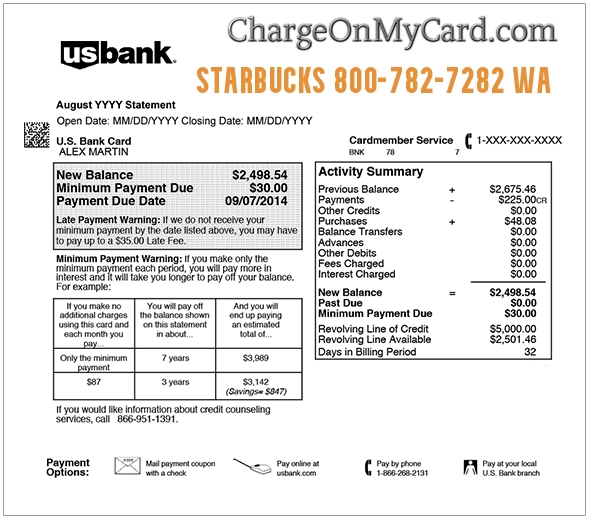
What Is the Starbucks 800-782-7282 Charge?
A transaction containing 800-782-7282 is associated with Starbucks.
It may represent:
- A manual Starbucks Card reload
- An automatic Starbucks Card reload
- A Starbucks eGift purchase
- A Starbucks Card purchased online
- A payment made through the Starbucks app
- A direct app purchase using a linked payment method
- A reload funded through PayPal or another supported payment option
- A purchase made by another authorized cardholder
- An unauthorized reload or account transaction
The exact transaction type should be verified through the Starbucks account, confirmation emails, and card issuer’s expanded transaction details.
Common Starbucks 800-782-7282 Statement Variations
The charge may appear as:
- STARBUCKS 800-782-7282
- STARBUCKS 8007827282
- STARBUCKS 800-782-7282 WA
- STARBUCKS 8007827282 WA
- STARBUCKS 800-782-7282 SEATTLE WA
- STARBUCKS 800 SEATTLE WA
- STARBUCKS 800 782 7282
- STARBUCKS CARD RELOAD
- STARBUCKS RELOAD
- STARBUCKS AUTO RELOAD
- STARBUCKS CARD
- STARBUCKS EGIFT
- CASHSTAR STARBUCKS
- CASHSTAR STARBUCKS 800-782-7282 ME
- PURCHASE STARBUCKS 80 SEATTLE WA
- CHECKCARD STARBUCKS 8007827282
- CHKCARD STARBUCKS 800-782-7282
- POS DEBIT STARBUCKS 8007827282
- PENDING STARBUCKS 800-782-7282
Banks may remove punctuation, shorten the merchant name, repeat the telephone number, or add a city and state.
Why Does the Charge Say WA or Seattle WA?
Starbucks is strongly associated with Seattle, Washington, and its online or account-based payment processing may display Washington merchant information.
A `WA` or `SEATTLE WA` suffix does not necessarily mean:
- The cardholder visited a Seattle store
- The transaction occurred physically in Washington
- The card was present at a retail location
It may instead identify merchant or payment-processing information associated with the online Starbucks transaction.
Was This a Starbucks Card Reload?
A Starbucks Card stores prepaid value that can be used at participating Starbucks locations.
A reload occurs when money is transferred from a:
- Credit card
- Debit card
- Linked electronic payment method
- Supported digital wallet or payment service
The transferred amount becomes part of the Starbucks Card balance.
A reload is different from buying a drink directly with a credit card. The credit or debit card funds the stored Starbucks balance first, and later purchases reduce that balance.
Manual Reload Versus Auto-Reload
Manual reload
A manual reload occurs when someone deliberately selects an amount and adds it to the Starbucks Card.
This may happen:
- Through the Starbucks app
- Through Starbucks.com
- At a participating store
- By using a linked payment method
Automatic reload
Auto-reload charges the linked payment method automatically.
It may be configured to reload:
- On a selected calendar date
- When the Starbucks Card balance falls below a selected threshold
Someone may forget that auto-reload was enabled because the setting can remain active after the original setup.
Why Did Starbucks Automatically Charge My Card?
An automatic reload may occur because:
- The Starbucks Card balance dropped below the selected threshold.
- A scheduled reload date arrived.
- A payment method remained linked to the account.
- Someone else with account access used the Starbucks balance.
- A family member used a shared Starbucks account.
- The reload setting was changed less than 24 hours before processing.
- An account was accessed without authorization.
Starbucks normally sends:
- An email confirming auto-reload terms when it is established
- An email after each completed reload
Search every email folder, including spam and deleted messages.
How to Verify the Starbucks Charge
Take these steps:
- Copy the complete statement descriptor.
- Record the amount and transaction date.
- Determine whether it is pending or completed.
- Sign in through the official Starbucks app or Starbucks.com.
- Review the Starbucks Card balance and transaction history.
- Check every Starbucks Card connected with the account.
- Review saved payment methods.
- Check the auto-reload settings.
- Search email for reload and eGift confirmations.
- Ask household members and authorized card users.
- Call Starbucks when the transaction remains unclear.
Search email for:
- Starbucks
- Starbucks Card reload
- Auto-reload
- Your Starbucks Card was reloaded
- Starbucks eGift
- CashStar
- 800-782-7282
- The exact transaction amount
How to Check Starbucks Card Transaction History
Use the official Starbucks card-management area to review:
- Current Starbucks Card balances
- Recent reloads
- Recent Starbucks Card purchases
- Cards registered with the account
- Auto-reload settings
- Linked payment methods
Official card management:
Manage Starbucks Cards and review card activity
Compare the amount and date against the bank or credit-card statement.
How to Turn Off Starbucks Auto-Reload
To stop future auto-reloads:
- Sign in through the official Starbucks website or app.
- Open the Starbucks Card or card-management section.
- Select the card with auto-reload enabled.
- Review its reload preferences.
- Disable or change auto-reload.
- Review the saved payment method.
- Save confirmation of the change.
Starbucks says changes may take up to 24 hours.
To prevent the next scheduled reload, make the change or call Starbucks at least 24 hours before the transaction is due.
You can also call:
Ask the representative to confirm:
- Whether auto-reload is active
- Which Starbucks Card is affected
- The reload amount
- The date or balance trigger
- Whether another reload is pending
- Whether auto-reload has been disabled
Can a Completed Starbucks Reload Be Reversed?
Starbucks’ published card terms state that once dollar value has been loaded onto a Starbucks Card, the reload transaction cannot ordinarily be reversed.
Starbucks Card balances are generally:
- Nonrefundable
- Not redeemable for cash except where required by law
- Treated as prepaid value for Starbucks purchases
That does not prevent Starbucks from investigating:
- A clerical error
- A billing error
- An accounting error
- An unauthorized account transaction
Contact Starbucks promptly and provide enough information for it to review the transaction.
What Is a CASHSTAR STARBUCKS Charge?
A descriptor containing CASHSTAR STARBUCKS may relate to a Starbucks eGift rather than an ordinary card reload.
A Starbucks eGift may be purchased:
- Through Starbucks.com
- Through the Starbucks app
- For immediate or later delivery
- For another person
- Using a credit card, debit card, or supported electronic payment method
Check:
- Sent email folders
- Gift-confirmation messages
- The intended recipient
- CashStar confirmation emails
- The exact gift amount
Starbucks says unused eGifts may qualify for a refund when the purchaser has the original receipt.
For eGift status questions:
- Telephone: 1-800-782-7282
- eGift email: StarbuckseGiftCardSupport@cashstar.com
- eGift self-service: Starbucks CashStar eGift support
Use the CashStar email only for Starbucks eGift matters. Ordinary reload and account questions should begin with Starbucks customer service.
Could It Be a Direct Starbucks App Purchase?
Yes.
Starbucks Rewards accounts may use a linked:
- Credit card
- Debit card
- Mobile wallet
- Other available payment method
A customer may pay directly through the app instead of first loading a Starbucks Card.
Compare the charge against:
- Mobile orders
- Pickup orders
- Order-ahead purchases
- Recent store receipts
- Direct linked-card payments
The account history should help distinguish a purchase from a reload.
Why Are There Multiple Starbucks 800-782-7282 Charges?
Multiple transactions may represent:
- Separate manual reloads
- Repeated balance-triggered auto-reloads
- A reload followed by a direct app purchase
- Several eGift purchases
- Multiple Starbucks Cards
- Different household members using one account
- A failed transaction followed by a successful retry
- A pending authorization and completed transaction
- Repeated unauthorized access
Check whether each reload also produced a corresponding increase in the Starbucks Card balance.
What Is a Pending Starbucks Charge?
A pending Starbucks entry may:
- Become the completed reload
- Update with a different descriptor
- Disappear
- Be replaced after an authorization reversal
- Be retried if the first authorization failed
Starbucks says debit-card and credit-card issuers may temporarily hold funds or available credit during authorization.
Do not assume a pending and posted entry are two completed charges without checking their final status.
What If Someone Accessed My Starbucks Account?
Act promptly when:
- You did not authorize the reload
- The Starbucks balance was used by someone else
- The account email or password changed
- An unfamiliar Starbucks Card appears
- A new payment method was added
- Multiple reloads occur close together
Take these steps:
- Change the Starbucks account password through the official site or app.
- Secure the associated email account.
- Review registered Starbucks Cards.
- Review linked payment methods.
- Disable auto-reload.
- Save screenshots of unfamiliar activity.
- Call Starbucks at 1-800-782-7282.
- Contact the card issuer or bank.
Do not reuse the same password across Starbucks, email, and banking accounts.
What If a Starbucks Card Was Lost or Stolen?
A registered Starbucks Card can be reported through the official account or by calling Starbucks.
Starbucks says it can freeze the remaining registered balance at the time it receives the report and transfer that remaining value to a replacement Starbucks Card.
This protection generally applies from the time Starbucks is notified. Report a lost card or compromised account immediately.
Current Starbucks Contact Information
- Starbucks customer service and card support: 1-800-782-7282
- Vanity number: 1-800-STARBUC
- Official customer-service site: Starbucks Customer Service
- Official contact page: Contact Starbucks
- Card management: Manage Starbucks Cards
- Starbucks Card terms: Starbucks Card Terms and Conditions
Have the following ready:
- Starbucks account email
- Transaction amount and date
- Complete statement descriptor
- Starbucks Card involved
- Reload confirmation email
- Last four digits of the payment card when requested through an official channel
Do not provide a complete card number in a public comment or unsolicited email.
How to Report a Starbucks Card Billing Error
Contact Starbucks when:
- The reload amount is incorrect
- The balance did not increase
- A transaction appears twice
- The card history does not match the bank charge
- An unauthorized transaction appears
- A corrected balance is still wrong
Starbucks says it will review reported transaction-history and card-balance errors when sufficient information is provided.
Report the problem promptly. Starbucks’ card terms state that it has no obligation to review or correct a Starbucks Card billing error unless sufficient notice is provided within 60 days of the transaction.
Credit Card Dispute Guidance
Contact the card issuer promptly when:
- No authorized Starbucks transaction can be found
- The Starbucks account was accessed without permission
- A completed duplicate charge remains unresolved
- The charged amount differs from the reload history
- Additional transactions continue after the account is secured
- Starbucks cannot locate the transaction
To preserve applicable credit-card billing-error rights:
- Call the issuer promptly.
- Use its official online dispute process when available.
- Follow up in writing when required.
- Send any required written billing-error notice within 60 calendar days after the issuer sent the statement containing the charge.
- Keep copies of all reload confirmations and correspondence.
Official guidance:
CFPB credit-card dispute guidance
Debit Card and Bank Account Guidance
Report an unauthorized debit-card or bank transaction immediately.
Ask the bank:
- Whether additional Starbucks authorizations are pending
- Whether the payment used the physical card, online details, or a token
- Whether the card should be replaced
- Whether a payment-token block is available
- What written documentation is required
Official guidance:
CFPB unauthorized debit and bank-transaction guidance
Credit-card and debit-card protections, procedures, and deadlines differ.
Watch Out for Fake Starbucks Support
Use Starbucks.com, the official Starbucks app, or 1-800-782-7282.
Be suspicious of anyone who:
- Calls unexpectedly offering a Starbucks refund
- Requests payment to reverse a reload
- Asks for the complete card number
- Requests a PIN, CVV, or authentication code
- Wants remote access to a phone or computer
- Requests gift cards or cryptocurrency
- Claims money must be moved to a safe account
Use the telephone number on the back of the payment card to contact the issuer.
Consumer Reports and Experiences
There are currently zero visible public reviews on this ChargeOnMyCard.com page.
ChargeOnMyCard.com has not received visible cardholder confirmation establishing:
- Whether a reported transaction was manual or automatic
- Whether it involved an eGift
- Whether an account was accessed without authorization
- Whether Starbucks corrected the transaction
- Whether the card issuer approved a dispute
ChargeOnMyCard.com cannot:
- Access Starbucks accounts
- Review Starbucks Card balances
- Disable auto-reload
- Reverse a reload
- Issue an eGift refund
- Replace a bank card
- Submit a dispute
Frequently Asked Questions About Starbucks 800-782-7282
What is 800-782-7282?
It is Starbucks’ official customer-service and Starbucks Card support number.
What is Starbucks 8007827282 on my statement?
It may identify a Starbucks Card reload, auto-reload, eGift purchase, or account-based Starbucks payment.
What is Starbucks 800-782-7282 WA?
It is a Starbucks transaction descriptor that includes the company’s official support number and Washington merchant information.
Does the WA code mean I purchased something in Washington?
Not necessarily. It may reflect Starbucks’ merchant or online payment-processing information rather than the customer’s physical location.
Why did Starbucks reload my card automatically?
Auto-reload may have been configured to occur on a selected date or when the Starbucks Card balance fell below a chosen amount.
How do I stop Starbucks auto-reload?
Disable it through the Starbucks Card account or call 1-800-782-7282 at least 24 hours before the next scheduled reload.
Can I reverse a Starbucks Card reload?
Starbucks’ published terms state that once the value has loaded, the reload transaction cannot ordinarily be reversed.
What is CashStar Starbucks?
It may identify a Starbucks eGift purchase processed through the CashStar eGift system.
Can an unused Starbucks eGift be refunded?
Starbucks says unused eGifts may qualify for a refund when the purchaser has the original receipt.
Could the transaction be a normal Starbucks app purchase?
Yes. Starbucks accounts may use linked payment methods to pay directly rather than first reloading a Starbucks Card.
What should I do if I did not authorize it?
Secure the Starbucks and email accounts, disable auto-reload, call Starbucks, and report the transaction promptly to the card issuer or bank.
Can ChargeOnMyCard.com reverse the transaction?
No. ChargeOnMyCard.com cannot access Starbucks, eGift, payment-card, or bank systems.
Related Food, Beverage, App, and Gift Card Charge Guides
- DD/BR Q35 Charge: Dunkin’, Baskin-Robbins, App Purchase, or Gift Card Reload?
- CVS Pharmacy Charge
- How to Investigate an Unrecognized Credit Card, Debit Card, or Bank Charge
The DD/BR guide covers another coffee, food, mobile-app, and stored-value descriptor. It is not affiliated with Starbucks.
Help Other Cardholders Identify the Starbucks Charge
If you saw STARBUCKS 800-782-7282, STARBUCKS 8007827282, CASHSTAR STARBUCKS, or another variation, please share what the payment represented.
Helpful details include:
- The descriptor without private reference numbers
- The general amount
- Whether it was manual or automatic
- Whether it appeared in Starbucks Card history
- Whether it involved an eGift
- Whether the transaction repeated
- Whether auto-reload was disabled
- Whether Starbucks corrected an error
- How the issuer resolved an unauthorized charge
Do not post Starbucks Card numbers, card digits, account emails, passwords, gift links, order numbers, PINs, CVV codes, or authentication codes.
Why Rely on ChargeOnMyCard.com?
ChargeOnMyCard.com researches confusing credit-card, debit-card, gift-card, stored-value, mobile-app, auto-reload, online-payment, and bank-statement descriptors using official merchant terms, current support information, consumer-protection guidance, statement patterns, and visible cardholder reports.
We distinguish the verified association between Starbucks and 1-800-782-7282 from the separate question of whether a particular transaction was a manual reload, automatic reload, eGift, direct purchase, household transaction, billing error, or unauthorized payment.
Last reviewed: July 2026.
Disclaimer
ChargeOnMyCard.com is not affiliated with Starbucks Corporation, Starbucks Rewards, CashStar, any Starbucks store or licensee, any cardholder, bank, credit union, card network, payment processor, or financial institution. This article is provided for informational purposes only and is not financial, legal, gift-card, refund, privacy, dispute, account-security, or fraud-prevention advice. Contact Starbucks and the financial institution directly regarding a specific transaction.