
An ERENTERPLAN charge on your credit card, debit card, or bank statement is most likely connected to an eRenterPlan renters insurance policy. The transaction may represent an initial premium, monthly payment, renewal, policy adjustment, or another renters-insurance charge associated with your apartment or rental property.
The descriptor may appear as ERENTERPLAN, eRenterPlan, e renter plan, eRentalPlan, or with the customer-service number 888-512-4204. If you recently moved into an apartment, purchased renters insurance, renewed a lease, or provided insurance information to a property manager, the charge may be legitimate.
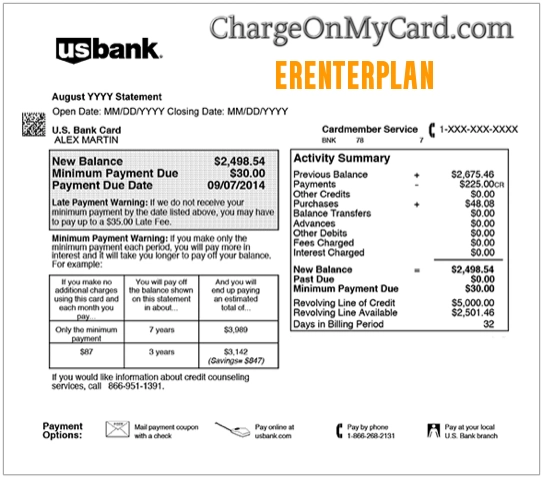
What Is the ERENTERPLAN Charge?
ERENTERPLAN is a billing descriptor associated with eRenterPlan, a renters-insurance service. The charge may be connected to a policy purchased to meet an apartment community’s insurance requirement or to protect personal belongings and provide personal-liability coverage.
The name on the statement may not include the apartment complex, property-management company, insurer, policy number, or individual coverage period. That can make the premium difficult to recognize even when the policy was authorized.
Common eRenterPlan Statement Variations
- ERENTERPLAN
- ERENTER PLAN
- eRenterPlan
- E RENTER PLAN
- ERENTERS PLAN
- ERENTAL PLAN
- ERENTALPLAN
- ERENTERPLAN.COM
- ERENTERPLAN 8885124204
- ERENTERPLAN 888-512-4204
- AGI RENTERS CONDO INS
- RENTERS INSURANCE PREMIUM
- LEASINGDESK INSURANCE
The exact wording may vary by bank, payment processor, policy type, insurer, apartment community, billing schedule, or available statement space.
Why eRenterPlan May Charge Your Card
- You purchased an eRenterPlan renters-insurance policy.
- Your apartment community required proof of renters insurance.
- You selected monthly premium payments.
- Your policy renewed for another coverage period.
- Your saved card was charged before the next month of coverage.
- Your lease was renewed but the insurance policy remained active.
- You moved but did not cancel the existing policy.
- A spouse, roommate, family member, or authorized user purchased the policy.
- Your payment method was updated after a failed or declined premium.
- A policy adjustment, reinstatement, or missed payment was processed.
- Your card information may have been used without your permission.
Why Did eRenterPlan Charge Me Again So Soon?
eRenterPlan explains that customers using monthly payment terms may see two charges relatively close together.
The first payment is charged when the policy is purchased. The second payment may be charged approximately two weeks before the next coverage period begins. That second charge date then becomes the ongoing monthly billing date.
For example, if you purchase coverage at the beginning of a month, you may see another charge before a full month has passed. This does not necessarily mean you were charged twice for the same coverage period.
Compare the policy effective dates, premium schedule, and payment history to confirm which coverage period each charge applies to.
Does eRenterPlan Charge Monthly?
eRenterPlan policies may offer monthly or other available payment options depending on the policy, state, property, and insurer. If monthly billing was selected, the authorized payment method may be charged automatically before the next coverage period.
The amount and billing date may be affected by:
- The coverage limits selected
- The policy deductible
- The apartment community’s required liability limits
- The state where the rental property is located
- Optional coverage selections
- Taxes, fees, or policy adjustments
- A failed or retried payment
Does the Policy End When the Lease Ends?
No, the policy may not cancel automatically when your lease ends. eRenterPlan states that customers need to request cancellation.
This is important if you:
- Moved out of the apartment
- Changed property-management companies
- Bought renters insurance from another insurer
- Moved in with someone who already has coverage
- Bought a home
- Assumed the property manager would cancel the policy
If you no longer need the policy, log in to your eRenterPlan account or contact customer service. Ask for the effective cancellation date and whether any unused premium may be refunded according to the policy terms.
What Is eRenterPlan Renters Insurance?
eRenterPlan provides renters-insurance coverage that may include protection for personal property and personal liability, subject to the policy’s limits, exclusions, deductible, state availability, and insurer terms.
Renters insurance commonly helps cover certain losses involving:
- Personal belongings
- Theft
- Fire or smoke damage
- Some forms of water damage
- Personal liability
- Damage caused to another person’s property
- Additional living expenses after certain covered losses
Coverage varies. Review your declarations page and policy documents rather than assuming every loss or event is covered.
Why Did My Apartment Enroll Me in Renters Insurance?
Many apartment communities require residents to maintain renters insurance or personal-liability coverage. A leasing office may direct residents to eRenterPlan or another approved insurance provider.
However, the apartment community’s insurance requirement does not necessarily mean that it selected every part of your policy or that the charge came directly from the landlord.
Check your lease, move-in documents, resident portal, email, and insurance certificate for references to:
- eRenterPlan
- LeasingDesk Insurance Services
- Renters-insurance requirements
- Proof of coverage
- Personal-liability limits
- Policy effective dates
Is ERENTERPLAN a Legitimate Charge?
An ERENTERPLAN charge may be legitimate if it matches an active eRenterPlan policy purchased by you or another authorized person.
Signs that it may be valid include:
- You received a policy confirmation.
- The apartment community has proof of coverage.
- The amount matches the premium schedule.
- The payment appears in your eRenterPlan account.
- The policy address matches your current or former rental property.
- The charge repeats according to the expected billing schedule.
The charge should be investigated if you never purchased a policy, the insured address is unfamiliar, the policy continued after cancellation, the amount does not match your records, or nobody authorized to use the card recognizes it.
eRenterPlan Official Contact Information
- Official Website: erenterplan.com
- Customer Service: 1-888-512-4204
- Contact Form: eRenterPlan Contact Us
- Account Sign-In: Sign in to eRenterPlan
- Frequently Asked Questions: eRenterPlan FAQs
- Mailing Address: LeasingDesk Insurance Services, 38 Executive Park, Suite 300, Irvine, CA 92614
Current posted customer-service hours are Monday through Thursday from 8 a.m. to 10 p.m. Eastern, Friday from 8 a.m. to 9 p.m. Eastern, and Saturday and Sunday from 9 a.m. to 7 p.m. Eastern.
How to Verify an ERENTERPLAN Charge
- Check whether the charge is pending, posted, reversed, or repeated.
- Write down the exact descriptor, amount, and transaction date.
- Search your email for eRenterPlan, LeasingDesk, renters insurance, policy, coverage, premium, apartment, and the exact amount.
- Sign in to your eRenterPlan account and review the policy and payment history.
- Check the insured rental-property address.
- Compare the charge with the premium schedule and coverage dates.
- Ask your spouse, roommate, family member, or other authorized card user.
- Contact your apartment leasing office to confirm what insurance information it has on file.
- Call eRenterPlan at 1-888-512-4204 if the transaction remains unclear.
What to Have Before Contacting eRenterPlan
Gather the following information:
- Your full name
- The insured property address
- The apartment-community name
- The policy number, if available
- The charge date and amount
- The last four digits of the charged card
- The email address used to purchase coverage
- The date you moved in or moved out
- Any cancellation confirmation
Do not send your complete payment-card or bank-account number through an unsecured message or public comment.
How to Cancel an eRenterPlan Policy
eRenterPlan says customers can cancel through their online account or call customer service at 1-888-512-4204.
- Sign in to your eRenterPlan account.
- Locate the active policy.
- Choose the cancellation option if available.
- Enter the requested cancellation date and reason.
- Save the confirmation page or email.
- Verify that the apartment community received any updated insurance information it requires.
- Review the next bank or card statement for additional charges.
If you call, ask the representative to confirm:
- The effective cancellation date
- Whether another premium is scheduled
- Whether a refund is due
- Whether proof of cancellation will be sent
- Whether the apartment community will be notified
What If You Canceled but Were Charged Again?
A later charge could involve:
- A premium scheduled before the cancellation was processed
- A different active policy
- Coverage under another email address
- A payment retry
- A cancellation date later than expected
- A charge covering an earlier period
Contact eRenterPlan with the cancellation confirmation and ask which coverage period the charge paid for. Request a written explanation and refund information if applicable.
If the charge remains unresolved, contact your bank or card issuer and provide the policy records, cancellation request, merchant response, and transaction details.
What If You Moved Out but the Charges Continued?
Moving out does not necessarily cancel the insurance policy. The policy may continue until you submit a cancellation request.
Check whether the policy can be transferred to a new rental address or whether it should be canceled. Do not assume that returning your keys, ending the lease, or notifying the apartment office automatically ends the insurance contract.
If you believe the apartment community told you it would handle cancellation, gather any written communication and contact both the property manager and eRenterPlan.
What If the Charge Says AGI Renters Condo Insurance?
An AGI renters condo insurance charge may be related to the insurance company, administrator, or payment record associated with a renters or condominium policy.
Because insurance underwriters and policy administrators can vary, compare the exact descriptor with your declarations page and policy documents. Contact eRenterPlan if your account, insured address, or policy information references the charge.
How to File an Insurance Claim
The correct claims contact may depend on the insurance company named on your policy. Review the policy number, declarations page, and claims instructions before calling.
After a covered loss:
- Protect yourself and the property from additional harm.
- Notify the property manager when appropriate.
- Photograph damaged or stolen property.
- Keep receipts for emergency expenses.
- Prepare a list of affected belongings.
- Contact the insurer identified in your policy documents.
Customer-service and billing representatives may not be the same department that handles insurance claims.
What If You Never Purchased eRenterPlan Insurance?
If you do not recognize the policy or charge:
- Ask every authorized card user whether they purchased renters insurance.
- Check old and current rental properties.
- Search all email accounts for policy confirmations.
- Contact the apartment management office.
- Call eRenterPlan using the verified official number.
- Ask whether it can identify a policy using the transaction details and last four card digits.
- Contact your bank if no authorized policy explains the charge.
- Ask whether the card should be blocked or replaced.
Could the ERENTERPLAN Charge Be Fraud?
An ERENTERPLAN charge is not automatically fraudulent. It most likely represents an insurance premium tied to a rental property.
However, it may be unauthorized if:
- You never purchased a policy.
- The insured property does not belong to you.
- No authorized card user recognizes the transaction.
- eRenterPlan cannot locate a matching policy.
- The charge continued after a confirmed cancellation.
- Other unfamiliar transactions appeared at the same time.
How to Dispute an ERENTERPLAN Charge
Gather:
- The exact statement descriptor
- The premium amount and date
- The insured property address
- The policy number
- The payment schedule
- Cancellation records
- Move-out documentation
- Emails or support messages
Contact eRenterPlan first if the transaction appears connected to a real policy but involves incorrect billing, cancellation, or a refund.
If you did not authorize the policy or eRenterPlan cannot identify the transaction, contact your bank or card issuer using the number on the back of the card.
Watch Out for Fake Insurance Support Numbers
Unknown-charge and insurance searches may lead to fake support numbers, refund scams, and phishing pages. Use eRenterPlan’s official website or call 1-888-512-4204.
Do not give an unexpected caller your complete card number, bank password, Social Security number, PIN, one-time security code, or remote access to your device.
Frequently Asked Questions About ERENTERPLAN Charges
What is ERENTERPLAN on my credit card?
ERENTERPLAN is most likely a renters-insurance premium from eRenterPlan.
What is eRentalPlan?
eRentalPlan is likely a misspelling or statement variation of eRenterPlan, a renters-insurance service.
What is the eRenterPlan phone number?
eRenterPlan currently lists 1-888-512-4204 for customer service.
Why did eRenterPlan charge me twice?
The first premium may be charged when the policy is purchased, while the second may be collected two weeks before the next coverage period. Compare the coverage dates and payment history.
Does eRenterPlan cancel when my lease ends?
No. eRenterPlan says customers must request cancellation online or by phone.
How do I cancel eRenterPlan insurance?
Sign in to your account and use the cancellation option or call 1-888-512-4204.
Why am I still being charged after moving?
The policy may still be active because moving out does not automatically cancel it. Contact eRenterPlan and request cancellation.
Is eRenterPlan car insurance?
No. eRenterPlan primarily provides renters insurance rather than ordinary personal auto insurance.
Is ERENTERPLAN a scam?
eRenterPlan is an operating renters-insurance service. However, a real company name does not prove that your specific charge was authorized. Verify the policy, insured address, and payment history.
Should I dispute the charge?
First check your policy, lease documents, apartment requirements, billing history, and cancellation records. Contact your bank if the charge remains unauthorized or unresolved.
Related Insurance and Recurring Payment Guides
Help Other Cardholders Identify This Charge
If you saw ERENTERPLAN, eRenterPlan, eRentalPlan, ERENTERPLAN 888-512-4204, or a similar charge, please share what the payment was connected to.
Helpful details include whether it was an initial premium, monthly payment, lease-related policy, renewal, charge after moving, cancellation problem, refund, duplicate payment, or unauthorized transaction.
Do not post your complete card number, bank-account number, apartment address, policy number, telephone number, email address, password, PIN, Social Security number, or one-time security code.
Why Rely on ChargeOnMyCard.com?
ChargeOnMyCard.com researches confusing credit-card, debit-card, ACH, insurance, subscription, recurring-payment, and bank-statement descriptors using official company information, billing disclosures, transaction patterns, and cardholder reports when available.
Insurance billing can involve the insurer, policy administrator, property manager, and payment processor. We help identify the likely source while encouraging cardholders to confirm their individual policy and coverage information.
Disclaimer
ChargeOnMyCard.com is not affiliated with eRenterPlan, LeasingDesk Insurance Services, Multifamily Internet Ventures, RealPage, any apartment community, property manager, insurance company, payment processor, bank, card network, or financial institution. This page is for informational purposes only and is not insurance, financial, legal, claims, coverage, billing, refund, or fraud-prevention advice. Coverage and cancellation rights depend on the specific policy and applicable law.