
A COMN CAP APY F1, COMN CAP APY F1 AUTO PAY, or similar entry on a checking or savings account is strongly associated with an ACH payment made toward a credit-card account issued by Comenity Capital Bank, which is part of Bread Financial.
This is usually the payment of a credit-card bill rather than the original purchase made with the card. The unfamiliar wording may appear because the bank statement identifies the card issuer and payment channel instead of the retail brand printed on the credit card.
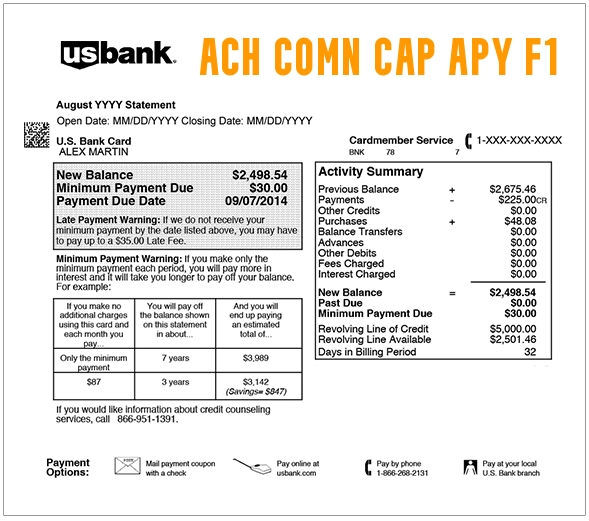
What Is COMN CAP APY F1 Auto Pay?
COMN CAP APY F1 AUTO PAY appears to be an abbreviated ACH payment description used when money is withdrawn from a bank account to pay a Comenity Capital Bank credit-card account.
The wording may be understood cautiously as follows:
- COMN or COMM: Strongly associated with Comenity
- CAP: Likely refers to Comenity Capital Bank
- APY or AUTO PAY: Appears to identify an automatic payment
- F1: Appears to be an internal payment-routing or card-program code
Bread Financial has not publicly documented a character-by-character definition of this exact descriptor. The complete bank entry, payment date, amount, ACH originator information, and corresponding credit-card account should be used to verify it.
This Is Usually a Credit-Card Payment, Not a Store Purchase
The debit normally appears on the checking or savings account used to pay a Comenity Capital Bank credit card.
For example:
-
- A purchase is made with a store or co-brand credit card.
- The purchase appears on that credit-card statement under the merchant’s name.
- AutoPay later withdraws money from the cardholder’s bank account.
- The bank account displays COMN CAP APY F1 or similar issuer wording.
The amount should generally correspond with a credit-card payment rather than a new retail purchase.
Common Statement Variations
Banks may shorten, misspell, or rearrange ACH payment information.
- COMN CAP APY F1
- COMM CAP APY F1
- COMN CAP APY F1 AUTO PAY
- COMN CAP APY F AUTO PAY
- COMN CAP APY F1 AUTOPAY
- ACH COMN CAP APY F1
- ACH DEBIT COMN CAP APY F1
- ACH WITHDRAWAL COMN CAP APY F1
- ACH HOLD COMN CAP APY F1
- COMN CAP APY F1 WEB
- COMN CAP APY F1 PPD
- COMENITY APY F1
- COMENITY APY F2
- COMENITY AUTO PAY
- COMN CAP AUTO PAY
- COMN CAP APY F1 800-395-5714
- COMN CAP APY F1 WEB ID 1651180275
- COMENITY PAY WEB PYMT
- COMENITY PAY PHONE PYMT
These variations do not necessarily represent separate companies or separate credit-card accounts.
What Does F1 Mean?
F1 appears to be an internal processing, routing, or card-program identifier.
It should not be used by itself to conclude that the payment belongs to:
- Ulta Beauty
- Victoria’s Secret
- Wayfair
- AAA
- Petco
- Dell
- Any other specific Comenity card
Searches also occur for COMENITY APY F2. This indicates that F1 and F2 may be internal payment variations rather than public retail-card names.
The reliable way to identify the card is to match the withdrawal amount and date with an actual Comenity or Bread Financial account.
What Does WEB ID 1651180275 Mean?
A longer entry may include:
COMN CAP APY F1 AUTO PAY … WEB ID 1651180275
The WEB ID appears to be ACH originator information associated with Comenity payment processing.
It is not:
- Your credit-card account number
- Your bank-account number
- A telephone number
- A merchant order number
- Proof of a particular store card
Your bank can provide the complete ACH company name, originator identification, trace number, payment classification, and effective date.
What Do WEB, PPD, and TEL Mean?
WEB
A WEB entry generally means the bank-account payment was authorized through a website, mobile app, or other online process.
PPD
A PPD entry generally means a prearranged consumer ACH payment. It may be a one-time or recurring debit based on a prior authorization.
TEL
A TEL entry generally means authorization was provided by telephone.
These codes describe how the ACH payment was authorized. They do not identify the particular Comenity card or retailer.
What Does ACH HOLD COMN CAP APY F1 Mean?
An ACH HOLD COMN CAP APY F1 entry may mean the bank is displaying a scheduled or processing Comenity payment before it fully posts.
The hold may:
- Become the completed AutoPay withdrawal
- Update with a longer payment description
- Be replaced by a posted ACH debit
- Disappear if the payment is canceled or released
- Be returned if the bank account has insufficient funds
A pending hold and the completed replacement should not automatically be counted as two payments. Confirm whether both transactions remain fully posted.
Why Did COMN CAP APY F1 Withdraw Money?
Possible explanations include:
- AutoPay was enabled on a Comenity Capital Bank card.
- A spouse or authorized cardholder enrolled the account in AutoPay.
- A one-time online payment was submitted.
- A telephone payment was made.
- The payment was scheduled several days or weeks earlier.
- The credit card uses a retail brand name that does not include Comenity.
- The payment amount changed with the card’s statement balance.
- A previously returned payment was attempted again.
- Two different Comenity accounts were paid from the same bank account.
- The wrong bank account was connected to a card.
- The ACH authorization was not made by the account owner.
How to Identify Which Credit Card Was Paid
- Record the complete descriptor, amount, and posting date.
- Check whether the entry is pending or completed.
- Search email for “Comenity,” “Bread Financial,” “AutoPay,” and the withdrawal amount.
- Review every store, private-label, and co-brand credit card in the household.
- Compare the amount with recent credit-card statement balances and payments.
- Check cards held by a spouse or another joint bank-account owner.
- Sign in to each possible card’s official Account Center.
- Review payment history and AutoPay enrollment.
- Use Bread Financial’s official card-account finder when the login page is unknown.
- Ask the bank for the complete ACH originator and trace information.
- Contact the customer-care number shown on the matching card or statement.
Find a Comenity or Bread Financial credit-card account
Current Bread Financial and Comenity Contact Routes
There is no single telephone number that reliably handles every Comenity-issued credit card. Each retail or co-brand card may have its own Account Center and customer-care number.
Use:
- Official account finder: Locate your card account
- Bread Financial help center: Bread Financial Help Center
- Account Center: Use the official login associated with the card
- Telephone: Use the number printed on the back of the card or on the card statement
- Mail: Use the payment or correspondence address printed on that specific statement
Do not provide card information to a telephone number found only in an advertisement, forum comment, social-media reply, or unofficial directory.
Is 800-395-5714 Current Comenity Support?
800-395-5714 appears in older Comenity payment descriptions and continues to receive searches.
It should be treated as a legacy descriptor clue rather than the universal current customer-care number for every Comenity account.
Use the contact number printed on the back of the relevant card or on its official statement.
How to Stop COMN CAP APY F1 AutoPay
First identify the credit-card account receiving the payment.
- Sign in to the official card Account Center.
- Open Payments or AutoPay.
- Review the enrolled bank account.
- Review the scheduled date and payment amount.
- Cancel or change AutoPay using the available account controls.
- Save the confirmation or take a screenshot.
- Check whether a payment is already scheduled.
- Contact the card’s customer-care team if the cancellation option is unavailable.
- Monitor both the card account and bank account.
Canceling AutoPay normally affects future withdrawals. It may not cancel a payment that is already processing.
Stopping AutoPay Does Not Cancel the Credit-Card Debt
Removing the automatic bank withdrawal does not:
- Close the credit-card account
- Erase the account balance
- Cancel purchases made with the card
- Waive the minimum payment
- Prevent interest or late fees
- Resolve a delinquent account
Arrange another payment method when a balance remains due.
How to Stop a Scheduled ACH Withdrawal Through the Bank
When the card account cannot be identified or the withdrawal was not authorized:
- Contact the bank or credit union immediately.
- Ask for the complete ACH originator information.
- Explain whether the payment was never authorized or authorization has been revoked.
- Ask about placing a stop-payment order on the next scheduled debit.
- Provide notice at least three business days before the scheduled transfer whenever possible.
- Ask whether written confirmation is required.
- Ask whether stopping one payment also blocks future payments.
- Request a case or confirmation number.
- Continue monitoring the account.
A bank may charge a stop-payment fee. Stopping the debit does not eliminate any legitimate balance owed on the credit card.
Why Are There Two COMN CAP APY F1 Payments?
Two entries may represent:
- A pending ACH hold and its completed replacement
- Two separate Comenity credit-card accounts
- A manual payment plus AutoPay
- Two payment attempts
- A returned payment that was submitted again
- A payment initiated by another authorized bank-account owner
- An actual duplicate withdrawal
- Repeated unauthorized ACH activity
Compare the payment references, statuses, effective dates, amounts, and destination card accounts.
What If the Payment Was Applied to the Wrong Card?
Contact the Comenity card program shown in the payment history.
Prepare:
- The withdrawal date
- The amount
- The bank trace number
- The last four digits of the bank account
- The card account that should have received the payment
- The card account that actually received it, when known
- The payment confirmation number
Do not post this information publicly.
What If the ACH Payment Is Returned?
An ACH payment may be returned because of:
- Insufficient funds
- An incorrect bank-account number
- An incorrect routing number
- A closed account
- A frozen account
- A stop-payment instruction
- A bank restriction
A returned payment may leave the credit-card account unpaid and could lead to a returned-payment fee, late fee, interest, or account delinquency under the card’s terms.
Check the card Account Center after any returned withdrawal and submit another valid payment when necessary.
What If You Never Authorized COMN CAP APY F1?
- Confirm that the entry is completed rather than pending.
- Ask every owner of the bank account.
- Review all Comenity and Bread Financial card accounts.
- Search email for payment and AutoPay confirmations.
- Ask the bank for the ACH originator ID and trace number.
- Contact the relevant Comenity card program when identified.
- Tell the bank promptly that the electronic withdrawal was not authorized.
- Ask whether future debits can be blocked.
- Ask whether the bank account requires additional security.
- Monitor for other unfamiliar electronic withdrawals.
Do not assume that every unfamiliar descriptor is fraudulent. A spouse, authorized cardholder, forgotten store card, or previously established AutoPay instruction may explain the payment.
Bank Account and Financial Privacy Warning
Do not post:
- Full bank-account numbers
- Routing numbers
- ACH trace numbers
- Credit-card numbers or card digits
- Account usernames
- Passwords or PINs
- Payment confirmation numbers
- Social Security numbers
- Dates of birth
- One-time authentication codes
- Copies of complete bank or credit-card statements
Consumer Reports and Experiences
There are currently four visible public reports on this ChargeOnMyCard.com page.
The reports include:
- A reported $700 monthly ACH debit
- Reported $250 monthly withdrawals beginning in July 2024
- A reported unrecognized $50 bank-account debit
- A recurring entry described as COMN CAP APY FL AUTO PAY
The reports show that consumers may have difficulty connecting the abbreviated descriptor with a particular credit-card account.
They do not establish:
- Which Comenity cards received the payments
- Whether AutoPay had previously been authorized
- Whether a spouse or authorized user submitted the payments
- Whether F1 or FL identifies a specific retailer
- Whether the withdrawals were refunded
- The final bank or Comenity resolution
- That all COMN CAP APY F1 payments are fraudulent
ChargeOnMyCard.com cannot:
- Access Comenity or Bread Financial accounts
- Identify a credit card from a bank-account number
- Cancel AutoPay
- Reverse an ACH payment
- Transfer a payment between card accounts
- Waive a late or returned-payment fee
- Submit a bank dispute
Frequently Asked Questions About COMN CAP APY F1
What is COMN CAP APY F1 on my bank statement?
It is strongly associated with an ACH payment from a bank account toward a Comenity Capital Bank credit-card account.
Is it a store purchase?
Usually not. It is generally the bank withdrawal used to pay a credit-card bill. The original purchase should appear separately on the card account.
What does APY mean?
In this descriptor, APY appears to mean AutoPay or automatic payment rather than annual percentage yield.
What does F1 mean?
F1 appears to be an internal processing or card-program code. It does not reliably identify one particular store card.
What is Comenity APY F2?
F2 appears to be another internal Comenity payment variation. Identify the card by comparing the amount and date with actual card payment history.
What is WEB ID 1651180275?
It appears to be ACH originator information used in Comenity payment processing. It is not the consumer’s card or bank-account number.
Why does the amount change each month?
AutoPay may be configured to withdraw the statement balance, minimum payment, or another amount that changes with the card balance.
How do I identify the store card?
Use Bread Financial’s account finder, check all Comenity card accounts, search email confirmations, and match the withdrawal with card payment history.
How do I cancel AutoPay?
Sign in to the specific card’s official Account Center and manage AutoPay. Use the customer-care number shown on that card or statement when online cancellation is unavailable.
Can my bank stop the withdrawal?
Yes, the bank may accept a stop-payment order or block future unauthorized ACH debits. Contact it before the scheduled payment date whenever possible.
Does stopping AutoPay cancel what I owe?
No. It only changes or stops the bank withdrawal. Any legitimate credit-card balance remains due.
Is 800-395-5714 current universal Comenity support?
It appears in older Comenity payment descriptions, but it should not be treated as the current universal support number for every card. Use the number on the card or statement.
Can ChargeOnMyCard.com cancel the withdrawal?
No. ChargeOnMyCard.com cannot access the bank, Bread Financial, Comenity, or card account involved.
Related ACH and Credit-Card Payment Guides
- COMENITY PAY OH WEB PYMT: Online Card Payment and WEB ID Help
- CARDMEMBER SERV WEB PYMT: Credit-Card ACH Payment Help
- ADVS ED SERV PPD: Aidvantage Student-Loan ACH Debit Help
- IRS USATAXPYMT: Federal Tax ACH Payment and Hold Help
- How to Investigate an Unrecognized ACH, Debit Card, Credit Card, or Bank Charge
ACH payment descriptions often show the lender, card issuer, payment channel, originator ID, or authorization type instead of the account or retail brand the consumer remembers.
Help Other Consumers Identify COMN CAP APY F1
If you identified a COMN CAP APY F1, COMN CAP APY F2, ACH HOLD COMN CAP APY, or similar debit, please share which credit-card program it paid.
Helpful nonprivate details include:
- The shortened descriptor without trace numbers
- The general amount
- Whether the entry was pending or completed
- Whether it was marked WEB, PPD, or TEL
- Whether AutoPay was enabled
- Which retail card received the payment
- Whether the payment was duplicated
- How the bank or card issuer resolved it
Do not post bank-account numbers, routing numbers, card information, ACH trace numbers, payment confirmations, passwords, PINs, or authentication codes.
Why Rely on ChargeOnMyCard.com?
ChargeOnMyCard.com researches confusing credit-card, debit-card, ACH, AutoPay, electronic-payment, pending-withdrawal, refund, and bank-statement descriptions using current official company information, payment-system terminology, consumer resources, and visible public reports.
We distinguish the payment of a Comenity Capital Bank credit-card account from the original store purchase, retail brand, bank account, AutoPay authorization, authorized user, duplicate payment, or potentially unauthorized withdrawal associated with the transaction.
Last reviewed: July 15, 2026.
Disclaimer
ChargeOnMyCard.com is not affiliated with Bread Financial, Comenity Bank, Comenity Capital Bank, any retail credit-card partner, cardholder, bank, credit union, ACH operator, payment processor, card network, or financial institution. This article is provided for informational purposes only and is not financial, legal, credit, payment, dispute, account-security, or fraud-prevention advice. Contact the applicable card issuer and financial institution directly regarding a specific transaction.