
A T101 LTD charge on your credit card, debit card, PayPal account, or bank statement may be connected to T101 Ltd, Recon, a premium membership, app-based subscription, online account billing, Recon Store purchase, or a discreet billing descriptor used for a dating, social networking, or adult-oriented community service.
This type of charge can be confusing because the statement may show only “T101 LTD” instead of the Recon name, app name, membership description, or website where the purchase was made. If you do not recognize the charge, verify the account, payment method, date, and amount before assuming it is legitimate or unauthorized.
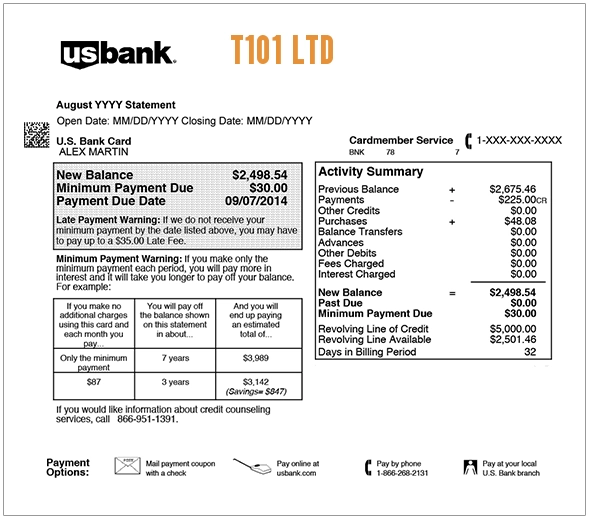
What Is the T101 LTD Charge on a Credit Card?
The T101 LTD charge may be related to T101 Ltd, a UK-based company associated with Recon and related online brands. Recon is an adult-oriented social networking and dating-style community, and T101 Ltd may appear as the billing name instead of the consumer-facing brand name.
A T101 LTD charge may be legitimate if you or someone with access to your card purchased a Recon premium membership, used the Recon app, bought access through a website, made a store purchase, renewed a subscription, or used a saved payment method. If no one recognizes the charge, treat it as a potentially unauthorized transaction and contact your card issuer.
Common T101 LTD Statement Descriptor Variations
The wording may vary depending on your bank, card issuer, app store, payment processor, or purchase method. Possible variations include:
- T101 LTD
- T101 LIMITED
- T101
- T101 LTD LONDON
- T101 RECON
- RECON T101
- RECON.COM
- RECON MEMBERSHIP
- RECON PREMIUM
- RECON STORE
- CHKCARD T101 LTD
- CHECKCARD T101 LTD
- POS PURCHASE T101 LTD
- PENDING T101 LTD
- APPLE.COM/BILL RECON
- GOOGLE PLAY RECON
Why T101 LTD May Appear on Your Statement
A T101 LTD charge may appear for several reasons:
- You purchased a Recon premium membership.
- You subscribed through the Recon app or website.
- You made an in-app purchase connected to Recon.
- You bought something from Recon Store or a related T101 brand.
- A subscription renewed automatically.
- A free or promotional period converted into a paid membership.
- A saved payment method was charged for account access.
- A household member, partner, employee, or authorized card user made the purchase.
- The merchant uses a discreet billing name instead of the public brand name.
- The charge is incorrect, duplicated, or unauthorized.
Official or Best Available Contact Information
If the charge may be connected to Recon or T101 Ltd, start with official Recon/T101 support channels. Avoid random third-party phone numbers or unofficial “billing support” pages that ask for sensitive information.
- Recon Website: Recon.com
- Recon Help Center: Recon Support
- Recon Support Email: support@recon.com
- T101 Website: T101.com
- T101 Email: mail@t101.com
- T101 Address: 42-46 Princelet Street, London E1 5LP, United Kingdom
When contacting support, provide the transaction date, amount, descriptor, last four digits of the card, and the email address that may be connected to the account. Do not send your full card number, bank login, password, one-time security code, or full identity documents unless you are using an official secure process.
How to Verify a T101 LTD Charge
Use these steps before filing a dispute:
- Check the exact descriptor. Look for T101 LTD, T101 Limited, Recon, Recon Premium, Recon Store, Apple, Google Play, or PayPal wording.
- Search your email. Look for “T101,” “Recon,” “Recon Premium,” “membership,” “subscription,” “renewal,” “receipt,” “store,” or the exact charge amount.
- Check app subscriptions. Review Apple App Store and Google Play subscriptions if the purchase may have been made through a mobile app.
- Review the Recon account. If you have access to a Recon account, check premium status, billing settings, and recent membership activity.
- Compare the amount and date. Memberships may renew monthly, quarterly, semiannually, or annually depending on the plan.
- Ask authorized users privately. Because the charge may involve a sensitive or discreet service, ask household or business card users carefully before assuming fraud.
- Check PayPal or wallet accounts. If you use PayPal, Apple Pay, or Google Pay, those accounts may show more details than your bank statement.
- Contact official support. Use Recon or T101 support channels to ask whether the charge matches an account or order.
- Contact your card issuer if still unknown. Your bank may be able to provide merchant category, authorization method, and dispute options.
What to Do If the T101 LTD Charge Is Unauthorized
If you cannot connect the T101 LTD charge to Recon, T101, an app subscription, a store order, a premium membership, or an authorized card user, contact your bank or card issuer promptly.
- Lock or freeze your card if your bank offers that option.
- Call the number on the back of your card.
- Ask whether the transaction was online, recurring, app-based, mobile-wallet based, manually entered, or card-present.
- Request the full merchant details tied to the authorization.
- Ask whether additional related charges were attempted.
- Change passwords on any email, app, PayPal, Apple, Google, or Recon accounts that may have saved payment details.
- Cancel any active subscription if you find one you no longer want.
- Request a replacement card if your card information may have been compromised.
- Dispute the charge if it was unauthorized, duplicated, incorrect, or cannot be verified.
If the charge is still pending, your bank may ask you to wait until it posts before opening a formal dispute. Continue monitoring the account while you verify the transaction.
How to Cancel a Recon or App-Based Membership
If the T101 LTD charge is connected to a membership you no longer want, cancellation steps may depend on where you signed up.
- Signed up on Recon.com: Log in to the Recon account and check account, billing, or membership settings.
- Signed up through Apple: Check your Apple ID subscriptions in the App Store or device settings.
- Signed up through Google Play: Check your Google Play subscriptions.
- Paid through PayPal: Review PayPal automatic payments or billing agreements.
- Cannot access the account: Contact Recon support from the email address that may be connected to the account.
Keep cancellation confirmations, screenshots, and emails in case another charge appears later.
FAQs About the T101 LTD Charge
What does T101 LTD mean on my credit card?
T101 LTD may refer to T101 Ltd, the company associated with Recon and related online brands. The charge may be connected to a premium membership, app subscription, website billing, store purchase, or discreet billing descriptor.
Is T101 LTD a legitimate charge?
It may be legitimate if you or an authorized card user used Recon, purchased a premium membership, made an app-based purchase, or bought something from a related T101 brand. If no one recognizes it, verify the charge with official support and your card issuer.
Why does the charge say T101 LTD instead of Recon?
Some online services use company names, payment processor names, or discreet billing descriptors on card statements. That can make the charge look unfamiliar even when it is connected to a real account or subscription.
Could T101 LTD be an app subscription?
Yes. If the purchase was made through the Apple App Store or Google Play, review your app subscriptions and purchase history. The statement wording may differ depending on the platform and payment method.
Is T101 LTD connected to adult dating or social networking?
It may be connected to Recon, which is an adult-oriented social networking community. Because the topic can be sensitive, verify the transaction privately and avoid posting personal account details in public comments.
Should I dispute a T101 LTD charge?
Dispute the charge if you confirm it was unauthorized, duplicated, incorrect, or cannot be matched to a real account, subscription, order, or authorized card user. If it may be legitimate, contact official support first when possible.
What if I am embarrassed by the charge?
You can still contact your bank or the merchant professionally and privately. Ask for the merchant details, cancellation options, and dispute rights without sharing unnecessary personal details in public forums.
Related Charge Guides
- TEL MSG SER Charge on Credit Card
- PVER3.US 888-605-6664 Charge
- Wilborniti Charge on Debit or Credit Card
- Apple App Store or APPLE.COM/BILL charge
- 402-935-7733 PayPal charge
Share Your Experience
Did a T101 LTD, T101 Limited, Recon, Recon Premium, or similar discreet billing charge appear on your credit card, debit card, PayPal account, Apple Pay, Google Pay, or bank statement? Share the exact descriptor, amount range, billing platform if known, and whether it was connected to a membership, app purchase, store order, renewal, or unauthorized transaction.
Privacy reminder: Do not post your full card number, bank account number, email address, phone number, username, password, profile details, private messages, order number, or other sensitive information in the comments.
Why Trust ChargeOnMyCard.com?
ChargeOnMyCard.com helps consumers identify confusing credit card, debit card, ACH, bank statement, PayPal, mobile wallet, app-store, subscription, and payment processor descriptors. Our goal is to explain what a charge may be, how to verify it safely, and what steps to take if the transaction is unfamiliar, recurring, incorrect, duplicated, or unauthorized.
Disclaimer
ChargeOnMyCard.com is not affiliated with T101 Ltd, Recon, Recon Store, Apple, Google, PayPal, any dating or social networking service, any bank, any card issuer, or any payment processor. This guide is for informational purposes only. Always verify charges directly with the merchant, app store, payment provider, or your financial institution if you believe a transaction is unauthorized or incorrect.