An AMC Online charge on your credit card, debit card, or bank statement is most likely connected to AMC Theatres. The charge may appear after buying movie tickets online, using the AMC app, paying a convenience fee, joining or renewing AMC Stubs, subscribing to AMC Stubs A-List, purchasing AMC gift cards, or ordering food and beverage through AMC’s website or mobile app.
Some cardholders may see variations such as AMC Online, AMC 9640 Online, AMC Online 9640, AMC Stubs, AMC A-List, AMC Theatres, or a similar descriptor. If you recently used AMC’s website or app, the charge may be legitimate. If you do not recognize it, check your AMC account, app-store wallet, email receipts, and authorized card users before assuming it is fraud.
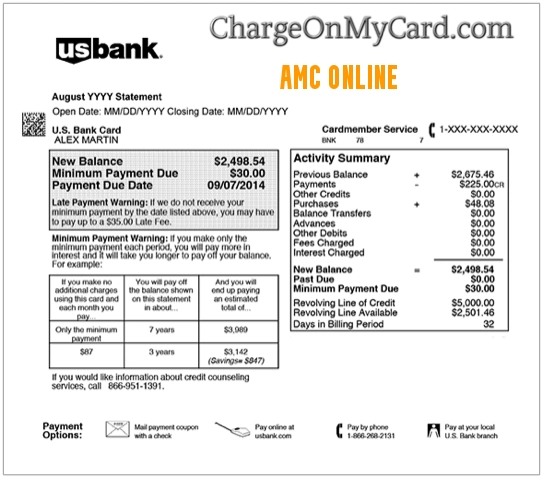
What Is the AMC Online Charge?
AMC Online usually refers to an online or app-based transaction connected to AMC Theatres. The charge may be for movie tickets, service fees, AMC Stubs paid membership, AMC Stubs A-List, AMC Stubs Premiere, gift cards, or food and beverage ordering.
The descriptor may not always show the theatre location or the exact purchase type. Your card issuer may display a shortened billing descriptor such as AMC Online or AMC 9640 Online instead of a full description like “movie tickets” or “AMC Stubs renewal.”
Common AMC Online Statement Variations
- AMC Online
- AMC Online charge
- AMC Online charge on credit card
- AMC Online charge on debit card
- AMC Online 9640
- AMC 9640 Online
- AMC Stubs
- AMC Stubs Premiere
- AMC Stubs A-List
- AMC Theatres online
- AMC app charge
- AMC convenience fee
- AMC gift card purchase
The exact wording can vary depending on the card network, bank, payment method, AMC account, and whether the transaction was made online, in the app, or at a theatre.
Why AMC Online May Appear on Your Card
- You bought AMC movie tickets online.
- You purchased tickets through the AMC mobile app.
- You paid an online ticketing convenience fee.
- You ordered food or beverage through AMC’s website or app.
- You purchased or reloaded an AMC gift card.
- You joined or renewed AMC Stubs Premiere.
- You subscribed to AMC Stubs A-List.
- Your AMC Stubs membership renewed automatically.
- A family member, spouse, child, employee, or authorized card user used your card.
- Your card information may have been used without permission.
AMC Online 9640 Charge
Some users report seeing AMC 9640 Online or AMC Online 9640 on their statement. This appears to be an AMC online billing descriptor rather than a separate company name. It may be tied to online ticketing, AMC Stubs, AMC A-List, or another AMC website or app transaction.
If the charge amount looks like a yearly membership, monthly subscription, ticket order, or app purchase, compare it with your AMC account, email receipts, and payment history.
AMC Stubs, Premiere, and A-List Billing
AMC Stubs includes free and paid membership tiers. Paid AMC Stubs charges may appear when you join, renew, or maintain a membership. AMC Stubs Premiere may appear as an annual membership charge, while AMC Stubs A-List may appear as a recurring subscription charge.
If your charge repeats monthly or annually, check whether you have an active AMC Stubs Premiere or AMC Stubs A-List membership. Also check whether automatic renewal is turned on in your AMC account.
AMC Online Ticketing and Convenience Fees
AMC may charge a convenience fee for tickets purchased on its website or mobile app. This fee can make the final card charge higher than the ticket price you expected.
If the amount is different from the advertised ticket price, compare the final order summary with the card charge. The total may include tickets, convenience fees, taxes, premium format charges, food and beverage, or gift card purchases.
AMC Gift Card and Food Order Charges
An AMC Online charge may also come from a gift card purchase, gift card reload, food and beverage order, or other online purchase through AMC’s website or app. Check whether someone purchased a gift card, sent a gift membership, ordered snacks ahead of time, or used a saved card in an AMC account.
How to Verify an AMC Online Charge
- Check whether the transaction is pending or fully posted.
- Search your email for AMC, AMC Theatres, AMC Stubs, A-List, Premiere, tickets, gift card, refund, confirmation, or the exact amount charged.
- Log in to your AMC account and review recent purchases, tickets, memberships, and saved payment methods.
- Check whether AMC Stubs Premiere or AMC Stubs A-List renewed automatically.
- Review app-store or digital wallet activity if the card is saved in a mobile wallet.
- Ask authorized card users whether they bought tickets, snacks, gift cards, or a membership.
- Open the full transaction details in your bank app and look for AMC, theatre location, merchant category, phone number, or recurring-billing details.
- If you still cannot identify the charge, contact AMC support or your card issuer.
AMC Theatres Official Support Information
- AMC Theatres Website: amctheatres.com
- AMC Help Center: AMC Help Center
- AMC Contact Page: Contact AMC
- AMC Refund Help: AMC refund FAQs
- AMC Stubs: AMC Stubs membership
- AMC Stubs A-List: AMC Stubs A-List
- Gift Card Balance: Check AMC gift card balance
How to Cancel or Manage AMC Stubs Billing
If the charge is connected to AMC Stubs Premiere or AMC Stubs A-List, log in to your AMC account and review your membership, saved payment card, and renewal settings. If your account has a billing issue, AMC’s A-List FAQ says members may need to update billing information in My Wallet and mark a new credit or debit card as the primary billing card.
If you cannot find the membership or need help with account changes, use AMC’s official contact page rather than a random support number from search results.
Refunds for AMC Online Purchases
If the charge is for tickets, review AMC’s refund instructions. Refund eligibility may depend on the purchase type, timing, ticket status, and whether the showtime has passed. If the order was for food, beverage, gift cards, or a membership, the refund process may be different.
Before contacting support, gather your order confirmation, theatre location, showtime, email address, amount charged, and last four digits of the payment card.
Watch Out for Lookalike Payment Pages
Search data sometimes shows terms like AMCPayOnline.com or similar payment-looking phrases. Do not enter card details on a website just because it has “AMC” in the name. Use AMC’s official website, official app, official Help Center, or your card issuer.
If a site asks for your full card number, banking login, Social Security number, one-time code, or password to “cancel” or “verify” an AMC charge, stop and use official support channels instead.
What To Do If You Recognize the Charge
If the AMC Online charge matches a ticket order, AMC Stubs membership, A-List subscription, gift card, or food order, save the receipt and confirmation email. If the charge is recurring and you no longer want the service, manage the membership through your AMC account and save the cancellation or renewal confirmation.
If the amount is higher than expected, check for convenience fees, taxes, premium format tickets, multiple seats, gift cards, food and beverage, or automatic renewal.
What To Do If You Do Not Recognize the Charge
- Ask all authorized card users whether they bought AMC tickets, gift cards, snacks, or a membership.
- Search all email accounts for AMC receipts or renewal notices.
- Check your AMC account for saved cards, recent purchases, and membership status.
- Use AMC’s official contact form if the charge appears connected to AMC.
- If AMC cannot identify the charge and no authorized user recognizes it, contact your bank or card issuer.
- For suspected fraud, ask your issuer whether to lock the card, replace the card number, and dispute the transaction.
Could the AMC Online Charge Be Fraud?
An AMC Online charge is not automatically fraud. It may be a legitimate AMC Theatres ticket purchase, AMC Stubs renewal, AMC A-List subscription, gift card purchase, online convenience fee, or food and beverage order.
However, if you cannot match the charge to any AMC account, receipt, membership, ticket, gift card, or authorized card user, treat it as potentially unauthorized and contact your card issuer.
Frequently Asked Questions About AMC Online Charges
What is AMC Online on my credit card?
AMC Online on a credit card usually means an online or app-based AMC Theatres transaction. It may be for tickets, convenience fees, AMC Stubs, AMC A-List, gift cards, or food and beverage purchases.
What is AMC Online 9640?
AMC Online 9640 or AMC 9640 Online appears to be an AMC online billing descriptor. Check your AMC account, email receipts, Stubs membership, A-List subscription, and recent ticket purchases.
Why did AMC charge me a convenience fee?
AMC says it charges a small convenience fee for tickets purchased on its website and mobile app. The fee is shown in the order summary during the online purchase process.
Could the charge be AMC Stubs or A-List?
Yes. If the charge is recurring or appears around a renewal date, it may be connected to AMC Stubs Premiere, AMC Stubs A-List, or another paid AMC membership feature.
How do I cancel AMC Stubs A-List?
Log in to your AMC account and review your AMC Stubs or A-List membership settings. If you need help, use AMC’s official Help Center or contact page.
Can I get a refund for an AMC Online charge?
Refund options depend on what was purchased and the timing of the request. Check AMC’s official refund FAQs and use the order confirmation details when contacting support.
Is AMC Online fraud?
Not automatically. It is often a legitimate AMC Theatres charge. Treat it as potentially unauthorized if no one recognizes it and you cannot find any AMC receipt, account activity, or membership renewal.
Related Entertainment, Subscription, and Online Payment Charge Guides
- Audible Charge on Credit Card
- Cleeng LLC Charge on Credit Card
- TMF Billing Fool Charge on Credit Card
- Telecharge Charge on Credit Card
- Shopify Charge on Credit Card or Debit Card Statement
- Klarna Charge on Credit Card
Help Other Cardholders Identify This Charge
If you saw an AMC Online, AMC Online 9640, AMC 9640 Online, AMC Stubs, or similar charge on your credit card, debit card, or bank statement, please share your experience in the comments. Helpful details include the exact descriptor, amount, whether it was tickets, AMC Stubs, A-List, a gift card, food and beverage, or unauthorized use, and how you resolved it. Do not post full card numbers, passwords, PINs, gift card numbers, ticket barcodes, account logins, or personal contact information.
Why Rely on ChargeOnMyCard.com?
ChargeOnMyCard.com helps consumers identify confusing credit-card, debit-card, ACH, and bank-statement descriptors by researching merchant names, online billing patterns, subscriptions, entertainment purchases, payment processors, and official support options when available. Our goal is to help cardholders determine whether a charge is likely legitimate, mistaken, recurring, or potentially unauthorized.
Disclaimer
ChargeOnMyCard.com is not affiliated with AMC Theatres, American Multi-Cinema, Inc., AMC Stubs, AMC A-List, any theatre location, payment processor, bank, or card issuer. This page is for informational purposes only and should not be treated as financial, legal, entertainment, subscription, or banking advice. If you believe a charge is unauthorized, contact your bank or credit card issuer directly.