
A PMUSA charge on a credit card, debit card, or bank statement is commonly associated with ParkMobile parking activity. It may be a parking session, reservation, transaction fee, Wallet load, membership payment, grouped charge, or temporary authorization. Variations include PMUSA Tolling, PMUSA Reservations, PMUSA PM PRO, and PMUSA Atlanta GA.
ParkMobile’s official information confirms how its parking payments, reservations, Wallet, memberships, fees, and debit-card authorizations work. However, the official pages reviewed do not publish a complete list proving that every PMUSA descriptor belongs to ParkMobile. Match the amount and date with your ParkMobile history before deciding that the charge is legitimate or unauthorized.
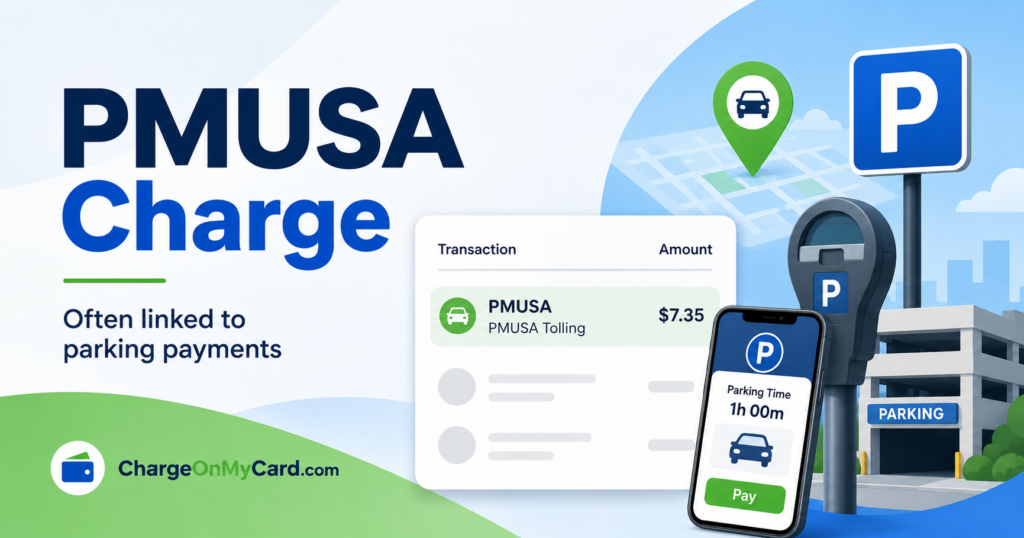
PMUSA Charge: Quick Answer
Confirmed: ParkMobile provides app and web-based payments for on-demand zone parking and advance parking reservations. Its official support information also documents transaction fees, grouped payments, debit-card preauthorizations, ParkMobile Wallet, and paid memberships.
Likely or possible: A statement entry beginning with PMUSA may relate to ParkMobile USA. The remainder of the descriptor may indicate the payment type, parking location, operator, membership, or an internal reference.
Unknown: The statement wording alone does not identify the driver, vehicle, exact parking facility, or person who authorized the payment. It also does not prove that the word “Tolling” represents a highway or bridge toll.
Watch: PMUSA Charge Explained
Common PMUSA Statement Variations
- PMUSA
- PM USA charge
- PMUSA charge on credit card
- PMUSA charge on debit card
- PMUSA Tolling
- PMUSA Reservations
- PMUSA Wallet
- PMUSA PM PRO
- PMUSA PM PRO charge on credit card
- PMUSA Atlanta GA
- PMUSA followed by a number, city, university, parking operator, property, or lot name
- PMUSA followed by 770-818-9036 GA
The 770-818-9036 number appears in searched statement variations, but ParkMobile’s current official support page lists 1-877-727-5457. Use the current official number rather than relying on a number embedded in an old or shortened statement descriptor.
Why PMUSA May Charge Your Card
- Zone parking: You paid for metered street parking, a garage, lot, airport, campus, hospital, event venue, or another participating location.
- A parking extension: An extension can be processed as a separate transaction and may carry another location-specific transaction fee.
- A reservation: You prepaid for parking at a garage, lot, airport, concert, theater, convention, or sporting event.
- A transaction fee: ParkMobile states that transaction fees are added to the local parking rate and vary by location.
- Grouped payments: At certain locations, several small transactions may be combined and submitted together.
- A debit-card preauthorization: A temporary hold may reduce the available balance before the final amount settles.
- ParkMobile Wallet: The card may have funded a prepaid Wallet balance rather than one parking session.
- A membership: The entry may relate to ParkMobile Pro, ParkMobile Go, or a business membership.
- Another authorized user: A family member, employee, or other card user may have paid for parking through a different ParkMobile account.
What Is PMUSA Tolling?
PMUSA Tolling is a statement variation that consumers commonly associate with ParkMobile. Public comments describe finding that the entry matched app-based parking even though “Tolling” initially suggested a road, bridge, express lane, or rental-car toll. Those comments are unverified consumer reports, not an official definition of the descriptor.
The ParkMobile materials reviewed do not state that PMUSA Tolling is always a road-toll transaction. First check ParkMobile Activity and payment history for parking on or near the transaction date. If there is no match and you recently used a toll road or rental car, separately check the official toll authority or rental agreement. Do not assume either explanation from the word alone.
What Is a PMUSA Reservations Charge?
PMUSA Reservations may be connected to parking reserved in advance through ParkMobile. ParkMobile describes an hourly reservation as prepaid parking for a guaranteed space in a particular garage or lot. Event reservations may appear under PMUSA instead of the venue, event, garage, or operator name.
Review the “Upcoming” and reservation areas in your ParkMobile account and search email for the event, venue, parking facility, exact amount, or reservation confirmation. ParkMobile says most reservations can be canceled until three hours before the reservation or event, but only when the reservation displays a cancellation option. Rules can vary by lot.
What Is PMUSA PM PRO?
PMUSA PM PRO or PMUSA PM PRO charge may relate to a ParkMobile paid membership, but ParkMobile does not publish PMUSA PM PRO as a guaranteed statement descriptor.
An older ParkMobile FAQ described ParkMobile Pro as a $0.99 monthly premium membership. ParkMobile’s current membership page instead lists Classic, ParkMobile Go, and ParkMobile for Business; it currently describes ParkMobile Go as a $3.99 monthly plan. If PMUSA PM PRO repeats monthly, review the Subscription or membership area of the app and contact official support before disputing it.
PMUSA Wallet, Grouped Payments, and Debit-Card Holds
ParkMobile Wallet
ParkMobile Wallet is a prepaid balance. According to the official Wallet explanation, the card on file is charged for the selected load amount when an eligible transaction begins, and later parking payments are deducted from that balance. A Wallet load can therefore be higher than the parking session that prompted it.
Grouped parking charges
ParkMobile’s payment aggregation guidance says qualifying small transactions may be combined over as long as 72 hours, up to a total of $15. That can make the posting date and amount differ from any single parking session.
Temporary debit-card authorization
The same official guidance says a preauthorization of up to $15 may be placed on a debit card, with unused funds released after 72 hours. Check whether the entry is still pending. If the hold remains longer, the settled amount is incorrect, or no one recognizes the activity, contact ParkMobile and the bank.
Why Does the Charge Say Atlanta or Include a City or Number?
ParkMobile is Atlanta-based and lists a current legal and privacy address in Atlanta. Therefore, PMUSA Atlanta GA may reflect company or payment-processing information rather than the place where the vehicle was parked.
Other PMUSA descriptors include a city, university, property, parking operator, lot name, or a string of numbers. Search data includes variations involving Dallas, Houston, Washington, Montgomery, Dovetail, National, universities, and other local terms. These additions may help identify the parking location or operator, but their exact meaning is not consistent enough to assume. ParkMobile zone numbers contain one to eight digits, while a statement can also include internal transaction or merchant references.
How to Verify a PMUSA Charge
- Copy the complete descriptor. Record the PMUSA wording, amount, date, city, telephone number, numerical suffix, and whether the entry is pending or posted.
- Check ParkMobile Activity. Sign in through the official ParkMobile account page and compare parking history, reservations, Wallet activity, and memberships.
- Compare several days of activity. Grouped transactions and normal bank posting delays can make the statement date differ from the parking date.
- Review every vehicle and payment method. Confirm the license plate, zone, parking duration, fee, and card attached to the transaction.
- Search email and calendars. Look for ParkMobile, PMUSA, parking, reservation, venue, event, airport, garage, Wallet, membership, or the exact amount.
- Ask authorized card users. Someone may have paid through a separate ParkMobile account using the same card.
- Ask the issuer for expanded details. Request the complete merchant name, merchant category, transaction type, authorization status, and any location or contact information.
- Use official support. If the transaction could be ParkMobile but does not appear in your account, submit the date, amount, and only the last four card digits through an official support channel.
Incorrect Charges, Cancellations, and Refunds
Zone parking sessions
ParkMobile’s refund guidance says it generally cannot cancel zone-parking sessions or refund parking fees because the funds go to the local parking operator. A technical problem can be submitted to ParkMobile for review, and the local operator may consider a separate request.
Parking reservations
Many reservations can be canceled up to three hours beforehand through the reservation screen. If there is no “Cancel Reservation” option, the facility may not allow cancellation or the deadline may have passed. Save the cancellation confirmation.
Membership or Wallet charge
Review the app’s membership, Subscription, payment-method, and Wallet sections. If the entry repeats or the account controls do not explain it, use ParkMobile’s official Help Center or telephone support.
Official ParkMobile Contact Information
- Customer Care: 1-877-727-5457
- Contact page: ParkMobile Contact Us
- Help Center: ParkMobile Customer Care
- Support request: Submit a ParkMobile request
ParkMobile warns that it does not send private customers payment links through text messages and does not email private customers with links demanding payment of an outstanding balance. Open the app directly or type ParkMobile.io into the browser. Do not use a support number or payment link from an unexpected message, search advertisement, or pop-up.
What to Do If the PMUSA Charge Is Unauthorized
If the transaction does not appear in ParkMobile history, no authorized user recognizes it, and official support cannot identify it, contact the financial institution promptly. Use the number printed on the card or the bank’s official app.
Credit card
Ask the issuer whether to lock or replace the card and how to open a billing dispute or fraud claim. For U.S. cards, the Consumer Financial Protection Bureau’s credit-card dispute guidance explains prompt reporting and when a written billing-error notice may be required. Keep copies and dates of communications.
Debit card or bank account
Report an unauthorized debit immediately because funds have left the account and reporting time can affect consumer protections. Ask about blocking or replacing the card, changing the PIN when appropriate, and starting the bank’s error-resolution process. The CFPB provides separate guidance for suspicious debit and credit activity.
For a broader checklist, see the COMC guide to investigating an unrecognized card or bank charge.
Consumer Reports and Experiences
Unverified user reports: Two existing COMC submissions appear to describe the same unfamiliar $17.98 transaction and ask how it could be canceled. Those reports do not establish that the payment came from ParkMobile, identify who made it, or prove fraud. They do show why readers should compare the complete PMUSA descriptor and reference information with account history before requesting a cancellation or dispute.
If you saw PMUSA, PMUSA Tolling, PMUSA Reservations, PMUSA PM PRO, PMUSA Wallet, or a city-and-number variation, share the complete descriptor, approximate amount, card type, whether it was pending or posted, the general parking city if known, and how it was resolved. Do not post full card or bank numbers, complete license plates, addresses, telephone numbers, email addresses, account links, PINs, passwords, one-time codes, full transaction references, or reservation numbers.
Frequently Asked Questions
What is a PMUSA charge?
A PMUSA charge is commonly associated with ParkMobile parking. It may involve a parking session, extension, reservation, fee, Wallet load, paid membership, grouped transaction, or temporary authorization. Confirm it through ParkMobile and the issuer because the descriptor is not conclusive by itself.
Is PMUSA the same as ParkMobile?
ParkMobile is the strongest common explanation for PMUSA parking-related descriptors, and its official billing information explains the transaction patterns. However, ParkMobile does not publish a complete descriptor list proving that every use of the acronym PMUSA belongs to it.
What is PMUSA Tolling on a bank statement?
Consumers often report that PMUSA Tolling matched ParkMobile parking rather than a highway toll. Check ParkMobile history first, but separately check official toll or rental-car records when relevant. The word “Tolling” alone does not prove either source.
What is PMUSA Reservations?
It may be prepaid parking reserved through ParkMobile for a garage, lot, airport, venue, or event. Compare the amount with the account’s Upcoming reservations and confirmation email.
What is PMUSA PM PRO?
It may relate to the former or legacy ParkMobile Pro membership wording. ParkMobile’s current plan information lists ParkMobile Go instead. Check the Subscription or membership area and contact official support if the payment repeats.
Why is a PMUSA debit charge as high as $15?
At qualifying locations, ParkMobile says it may place a debit-card preauthorization of up to $15 or aggregate small transactions up to $15 over 72 hours. The pending amount may not be the final parking total.
Why does PMUSA say Atlanta when I parked elsewhere?
Atlanta can reflect ParkMobile company or processing information. Use the parking history, zone, vehicle, operator, and receipt to identify the actual parking location.
Should I dispute a PMUSA charge?
First compare it with parking history, reservations, Wallet activity, memberships, fees, grouped payments, pending authorizations, and authorized users. Contact the issuer promptly when no legitimate transaction can be found.
Related Parking and Toll Charge Guides
- SP Plus and Parking.com charge on a credit card
- ERAC Toll rental-car toll charge
- ETOLL BGT charge on a credit card
Disclaimer
ChargeOnMyCard.com is not affiliated with ParkMobile, PMUSA, Arrive, EasyPark Group, any parking operator, toll authority, bank, card issuer, or payment processor. This article provides general charge-identification and dispute information, not legal, financial, parking, toll, or banking advice. Verify a specific transaction through ParkMobile, the applicable parking operator, and the financial institution.