
A 500 CHASTAIN CENTER BLVD charge on a credit card, debit card, or bank statement usually appears to be connected with Aaron’s Rent-to-Own. A longer variation may include 500 CHASTAIN CNTR 8776079999 GA, combining a former Aaron’s office address with an Aaron’s customer-assistance number. The transaction may be an Aaron’s lease-renewal payment, an automatic EZPay withdrawal, a manual MyAccount payment, or a partial remaining-balance payment. The address does not necessarily identify the Aaron’s retail store where the merchandise was obtained.
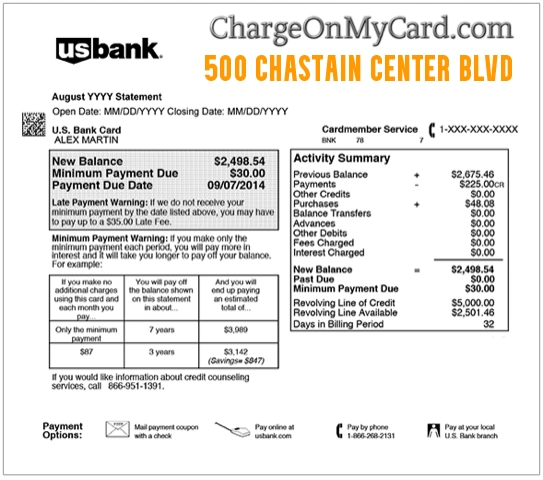
What Is the 500 Chastain Center Blvd Charge?
The strongest available evidence connects the descriptor with Aaron’s, a lease-to-own retailer offering furniture, appliances, electronics, computers, and other household merchandise. The entry may represent:
- A regular Aaron’s lease-renewal payment
- An automatic EZPay payment
- A one-time payment made through Aaron’s MyAccount
- A payment made through the Aaron’s mobile app
- A partial payment
- The remaining balance due for a renewal period
- An early-purchase or payoff amount
- A payment submitted by another authorized account user
- A duplicate or incorrectly processed payment
- An unauthorized card transaction
The payment descriptor may use Aaron’s processing or technology-office information instead of the name of the local Aaron’s store.
Is 500 Chastain Center Blvd Aaron’s?
Yes, the address has a documented historical association with Aaron’s operations. Aaron’s previously occupied office space at: 500 Chastain Center Boulevard Kennesaw, GA 30144 The location was associated with Aaron’s technology and support operations rather than an ordinary customer-facing retail store. That explains why the descriptor may identify:
- Aaron’s central payment processing
- An online account payment
- An EZPay transaction
- A payment submitted through Aaron’s digital systems
The address should not be used as Aaron’s current customer-service or corporate mailing address. It is historical processing information that may continue appearing on card statements.
Common 500 Chastain Statement Variations
The transaction may appear as:
- 500 CHASTAIN CENTER BLVD
- 500 CHASTAIN CENTER BLVD GA
- 500 CHASTAIN CENTER BLVD KENNESAW GA
- 500 CHASTAIN CENTER BLVD NW
- 500 CHASTAIN CNTR
- 500 CHASTAIN CNTR GA
- 500 CHASTAIN CNTR 8776079999 GA
- 500 CHASTAIN BLVD 877-607-9999
- 500 CHASTAIN CENTER 8776079999
- CHECKCARD 500 CHASTAIN CENTER
- POS DEBIT 500 CHASTAIN CNTR
- RECURRING 500 CHASTAIN CENTER BLVD
- PENDING 500 CHASTAIN CENTER BLVD
Banks can shorten words, remove punctuation, join the telephone number to the address, or add transaction-status language.
What Is the 877-607-9999 Number?
The number 1-877-607-9999 continues to appear on official Aaron’s webpages as a customer-assistance number. A statement such as: 500 CHASTAIN CNTR 8776079999 GA therefore provides two separate Aaron’s clues:
- A historically documented Aaron’s office address
- An Aaron’s customer-assistance telephone number
The combined information makes the Aaron’s identification considerably stronger than the address alone. Aaron’s current primary contact page now directs customers to 1-800-950-7368. Either number may appear in existing records or payment descriptors.
What Is Aaron’s EZPay?
EZPay is Aaron’s automatic-payment program for lease-renewal payments. Aaron’s allows participating customers to choose payment schedules such as:
- Weekly
- Every two weeks
- Twice per month
- Monthly
EZPay uses an authorized credit or debit card and charges the amounts on the dates provided in the payment authorization. An EZPay transaction may not show the local store name. It may instead appear with:
- The 500 Chastain address
- The 877-607-9999 telephone number
- Aaron’s corporate or processing information
- A generic recurring-payment label added by the bank
Why Did Aaron’s Take a Partial Payment?
A visible ChargeOnMyCard.com commenter said the 500 Chastain transaction was an Aaron’s payment but was smaller than expected because it represented the remaining balance. A partial payment may occur when:
- Part of the renewal payment was already paid
- A store credit was applied
- A previous payment covered part of the amount
- A scheduled payment was adjusted
- The agreement was being completed early
- The account had a remaining balance smaller than the normal payment
- A payment was split between two payment methods
Compare the transaction with the Aaron’s account ledger rather than assuming every automatic payment will equal the normal scheduled amount.
Why Does Aaron’s Charge Me Every Week or Month?
Aaron’s agreements use periodic renewal payments rather than one universal monthly subscription fee. The schedule depends on the individual agreement and may be:
- Weekly
- Biweekly
- Semi-monthly
- Monthly
The amount may cover:
- The merchandise lease renewal
- Applicable tax
- Optional services selected in the agreement
- Past-due amounts
- A modified payment arrangement
- More than one active Aaron’s agreement
Review each active agreement separately when several Aaron’s payments appear.
How to Verify a 500 Chastain Center Blvd Payment
Use these steps:
- Copy the complete descriptor from the bank or card account.
- Record the amount, date, and whether it is pending or completed.
- Sign in to Aaron’s MyAccount through the official website or app.
- Review recent and scheduled payments.
- Check every active lease agreement.
- Review the EZPay payment schedule.
- Compare the amount with the current renewal balance.
- Check email and text messages for Aaron’s payment confirmations.
- Ask other authorized card or account users.
- Contact the Aaron’s store responsible for the agreement.
- Contact Aaron’s customer support if the transaction remains unclear.
- Contact the card issuer promptly if no authorized Aaron’s account explains it.
Do not post an agreement number, customer number, card digits, account email, address, payment reference, or MyAccount information publicly.
How to Review Aaron’s Payments Online
Aaron’s customers can use MyAccount to review and manage eligible account activity. Official resources include:
- MyAccount: Sign in to Aaron’s MyAccount
- Aaron’s website: Aaron’s
- EZPay information: Review Aaron’s EZPay
Look for:
- The date the payment was submitted
- The payment method used
- The amount applied to each agreement
- The next renewal date
- Any scheduled automatic payment
- An outstanding or remaining balance
The transaction date on the card can differ slightly from the date it was applied to the Aaron’s account.
How to Change or Cancel Aaron’s EZPay
Aaron’s says customers can change or cancel their EZPay schedule through MyAccount or by calling: 1-855-455-8777 To stop automatic payments:
- Sign in to Aaron’s MyAccount.
- Open the payment or EZPay settings.
- Review the card and payment schedule.
- Select the available change or cancellation option.
- Complete every confirmation step.
- Save the email confirmation.
- Check whether another payment is already processing.
- Contact Aaron’s when no online cancellation option appears.
Canceling EZPay does not cancel the underlying Aaron’s agreement. The customer remains responsible for making the required lease-renewal payment by another method unless the merchandise is returned, the agreement is otherwise ended, or the ownership requirements have been completed.
Does Stopping the Card Cancel the Aaron’s Lease?
No. Blocking or replacing a card may prevent a particular payment attempt, but it does not automatically:
- Cancel the rental-purchase agreement
- Return the leased merchandise
- Complete ownership
- Remove a past-due balance
- Cancel another active Aaron’s agreement
- Resolve an account dispute
Contact Aaron’s about the status of the agreement itself. When the agreement is recognized but you no longer want the merchandise or payment arrangement, ask the responsible store about:
- Returning the merchandise
- Changing the renewal schedule
- An early-purchase option
- Available reinstatement options
- The account’s remaining balance
The available options depend on the agreement and applicable state law.
Why Do I See Two 500 Chastain Charges?
Two entries could represent:
- Two separate Aaron’s agreements
- A payment for more than one leased item
- A scheduled EZPay payment and a manual payment
- Two authorized account users submitting payments
- A pending authorization and completed payment
- A declined attempt followed by a successful payment
- A partial payment followed by the remaining balance
- A duplicate transaction
- Repeated unauthorized card use
Check the status and reference for each transaction. A pending and completed entry may not represent two final withdrawals. Contact the issuer when both amounts fully post or remain unresolved.
What If the Payment Amount Is Wrong?
Compare the amount with:
- The normal renewal payment
- The amount shown in MyAccount
- The current agreement balance
- Any partial payment already made
- More than one active lease
- Applicable taxes or optional services
- A recent payment-schedule change
Contact the responsible store or Aaron’s customer support and ask for a payment breakdown. Request:
- The agreement or agreements receiving the payment
- The date the payment was authorized
- The amount applied to principal or renewal obligations
- Any remaining balance
- The next scheduled payment
- Whether a duplicate or incorrect amount can be reversed
Keep written records and payment confirmations.
Can an Aaron’s Payment Be Refunded?
Whether a payment can be reversed or refunded depends on:
- Whether it was authorized
- Whether it was duplicated
- Whether it has fully processed
- How it was applied to the agreement
- Whether merchandise was returned
- The individual agreement and state requirements
When requesting review:
- Identify the Aaron’s agreement.
- Record the payment amount and date.
- Contact the responsible store.
- Explain whether the issue is a duplicate, incorrect amount, post-cancellation payment, or unauthorized transaction.
- Ask whether the payment is pending or completed.
- Request the decision and any refund timeframe in writing.
- Monitor the original payment method for the credit.
A refund or payment reversal does not automatically end the lease agreement.
Current Aaron’s Customer Support
- Official website: Aaron’s
- Contact page: Contact Aaron’s
- Current general customer support: 1-800-950-7368
- Customer-assistance number that may appear with the descriptor: 1-877-607-9999
- EZPay changes or cancellations: 1-855-455-8777
- MyAccount: Manage payments and agreements
- Store locator: Find the responsible Aaron’s store
Current agent hours published by Aaron’s are:
- Monday–Saturday: 9 a.m.–10 p.m. Eastern
- Sunday: 10 a.m.–8 p.m. Eastern
When contacting Aaron’s, have available:
- The customer or agreement number
- The transaction amount and date
- The store responsible for the agreement
- The full statement descriptor
- Only the limited card information requested through an official support channel
Never send a complete card number, bank-account number, PIN, CVV code, password, or one-time authentication code through ordinary email.
Is 500 Chastain Center Blvd Aaron’s Current Address?
No. The Kennesaw location was historically associated with Aaron’s technology and office operations, but it should not be used as the company’s current customer-service mailing address. Aaron’s current official materials identify its Atlanta office at: Aaron’s, LLC 400 Galleria Parkway SE, Suite 300 Atlanta, GA 30339 Use Aaron’s official contact page, MyAccount, customer-support numbers, or the responsible retail store for a payment question. Do not mail card information or dispute documents to the old Chastain Center address.
What If I Never Had an Aaron’s Account?
If neither you nor another authorized cardholder recognizes the payment:
- Confirm whether the entry is pending or fully posted.
- Save the complete descriptor, amount, and date.
- Ask household members and other authorized card users.
- Search email and text messages for Aaron’s.
- Check whether the card was previously used by someone with an Aaron’s agreement.
- Contact Aaron’s and state that you cannot identify an account connected with the transaction.
- Do not provide a complete card number to an incoming caller.
- Lock the card if additional unfamiliar attempts are appearing.
- Call the issuer using the number printed on the card.
- Report that you did not authorize the payment.
- Ask whether the card should be replaced.
- Continue monitoring for other transactions.
A genuine Aaron’s descriptor does not prove that the cardholder authorized the payment.
Should I Contact Aaron’s Before Disputing the Payment?
Contact Aaron’s first when:
- You have an active or recent agreement
- The amount may be a partial payment
- You suspect duplicate EZPay and manual payments
- You need a payment breakdown
- You canceled EZPay but another payment posted
- You want to identify the responsible store
Contact the card issuer promptly when:
- You have never had an Aaron’s account
- No authorized user recognizes the payment
- Multiple unfamiliar attempts are appearing
- The card credentials may be compromised
- Aaron’s cannot identify or resolve the payment
- A debit-card reporting deadline may be approaching
A merchant payment correction, cancellation of EZPay, resolution of the lease, and formal bank dispute are separate processes.
Credit Card and Debit Card Dispute Guidance
Official consumer resources include:
- CFPB credit-card dispute guidance
- FTC credit-card billing and dispute guidance
- CFPB unauthorized debit and bank-transaction guidance
Credit-card, debit-card, and bank-account protections can have different procedures and reporting deadlines.
Watch Out for Fake Aaron’s Support
Use the official Aaron’s website, MyAccount, store locator, or published telephone numbers. Never provide an unexpected caller or website with:
- Your complete card number
- Your bank-account number
- Your Aaron’s or email password
- Your PIN or CVV code
- A one-time security code
- Remote access to your phone or computer
- Gift-card numbers
- Cryptocurrency
- A second payment to release a refund
Do not assume someone is an Aaron’s representative merely because the caller knows the Chastain Center address.
Consumer Reports and Experiences
There are currently two visible cardholder reports on this ChargeOnMyCard.com page. One commenter reported:
- The charge was positively identified as Aaron’s
- The address matched previous Aaron’s payments
- The smaller amount represented a remaining Aaron’s balance
- The transaction was not a scam
A second commenter reported:
- Two transactions
- No recognition of the company
- A belief that the purchases had not been made by the cardholder
These reports represent individual experiences. They do not prove that:
- Every 500 Chastain transaction is authorized
- Every amount is an EZPay payment
- Every duplicate-looking entry is an actual duplicate
- Every unfamiliar transaction involves the same agreement
ChargeOnMyCard.com cannot access Aaron’s agreements, identify account holders, cancel EZPay, change lease terms, reverse payments, issue refunds, retrieve merchandise, or submit a bank dispute.
Frequently Asked Questions About 500 Chastain Charges
What is 500 Chastain Center Blvd on my statement?
It usually appears to be an Aaron’s lease or EZPay payment processed using information associated with a former Aaron’s technology-office location.
Is 500 Chastain Center Blvd an Aaron’s store?
It was associated with Aaron’s office and technology operations rather than an ordinary customer-facing retail store.
What is 8776079999?
1-877-607-9999 is a customer-assistance number that continues to appear on official Aaron’s webpages.
What is Aaron’s EZPay?
EZPay is Aaron’s recurring automatic-payment system for eligible lease-renewal payments.
Why was the charge smaller than my normal payment?
It may have been a remaining balance, partial payment, adjusted payment, credit application, or payment split between methods.
Why do I see the charge every week?
Your agreement may use weekly renewals through EZPay.
How do I cancel EZPay?
Use Aaron’s MyAccount or call 1-855-455-8777. Save the cancellation confirmation.
Does canceling EZPay cancel my lease?
No. You remain responsible for the agreement and its renewal requirements unless it is separately ended or completed.
Why are there two 500 Chastain payments?
They may involve two agreements, a manual and automatic payment, partial and remaining payments, pending and completed entries, or a duplicate.
What is Aaron’s current customer-support number?
Aaron’s current contact page lists 1-800-950-7368.
Is 500 Chastain Center Boulevard Aaron’s current headquarters?
No. Aaron’s current official materials identify its Atlanta office at 400 Galleria Parkway SE, Suite 300.
What should I do if I never used Aaron’s?
Contact Aaron’s to determine whether it can identify the transaction, then report it promptly to the card issuer if it remains unauthorized.
Can ChargeOnMyCard.com cancel the payment?
No. ChargeOnMyCard.com cannot access Aaron’s or financial-account systems.
Related Charge Guide
- How to Investigate an Unrecognized Card or Bank Charge
- RTG CUST AR and Rooms To Go Charge
- Ameriwood Furniture Charge
This guide provides broader steps for checking authorized users, saved payment methods, pending transactions, merchant details, and bank disputes.
Help Other Cardholders Identify the Payment
If you saw 500 CHASTAIN CENTER BLVD, 500 CHASTAIN CNTR, or 8776079999, please share what the transaction involved. Helpful details include:
- The descriptor format without private references
- The general amount
- Whether it was pending or completed
- Whether you had an active Aaron’s agreement
- Whether it was an EZPay or manual payment
- Whether it represented a partial or remaining balance
- Whether two payments appeared
- Whether Aaron’s corrected or refunded it
- How the issuer resolved an unauthorized transaction
Do not post card numbers, card digits, agreement numbers, customer numbers, transaction references, account email addresses, home addresses, passwords, PINs, CVV codes, or authentication codes.
Why Rely on ChargeOnMyCard.com?
ChargeOnMyCard.com researches confusing credit-card, debit-card, lease-payment, recurring-payment, address-based, processor, and bank-statement descriptors using official merchant resources, historical location information, transaction patterns, and visible cardholder reports. We distinguish the well-supported Aaron’s connection from the separate question of whether a specific lease or payment was authorized. Last reviewed: July 2026.
Disclaimer
ChargeOnMyCard.com is not affiliated with Aaron’s, Aaron’s LLC, The Aaron’s Company, Aaron’s EZPay, IQVentures, any Aaron’s franchisee, Kennesaw State University, any cardholder, bank, credit union, card network, payment processor, acquiring bank, or financial institution. This article is provided for informational purposes only and is not financial, legal, banking, rental-purchase, lease, payment, cancellation, refund, privacy, account-security, dispute, or fraud-prevention advice. Contact Aaron’s, the responsible store, and the applicable financial institution directly regarding a specific transaction.